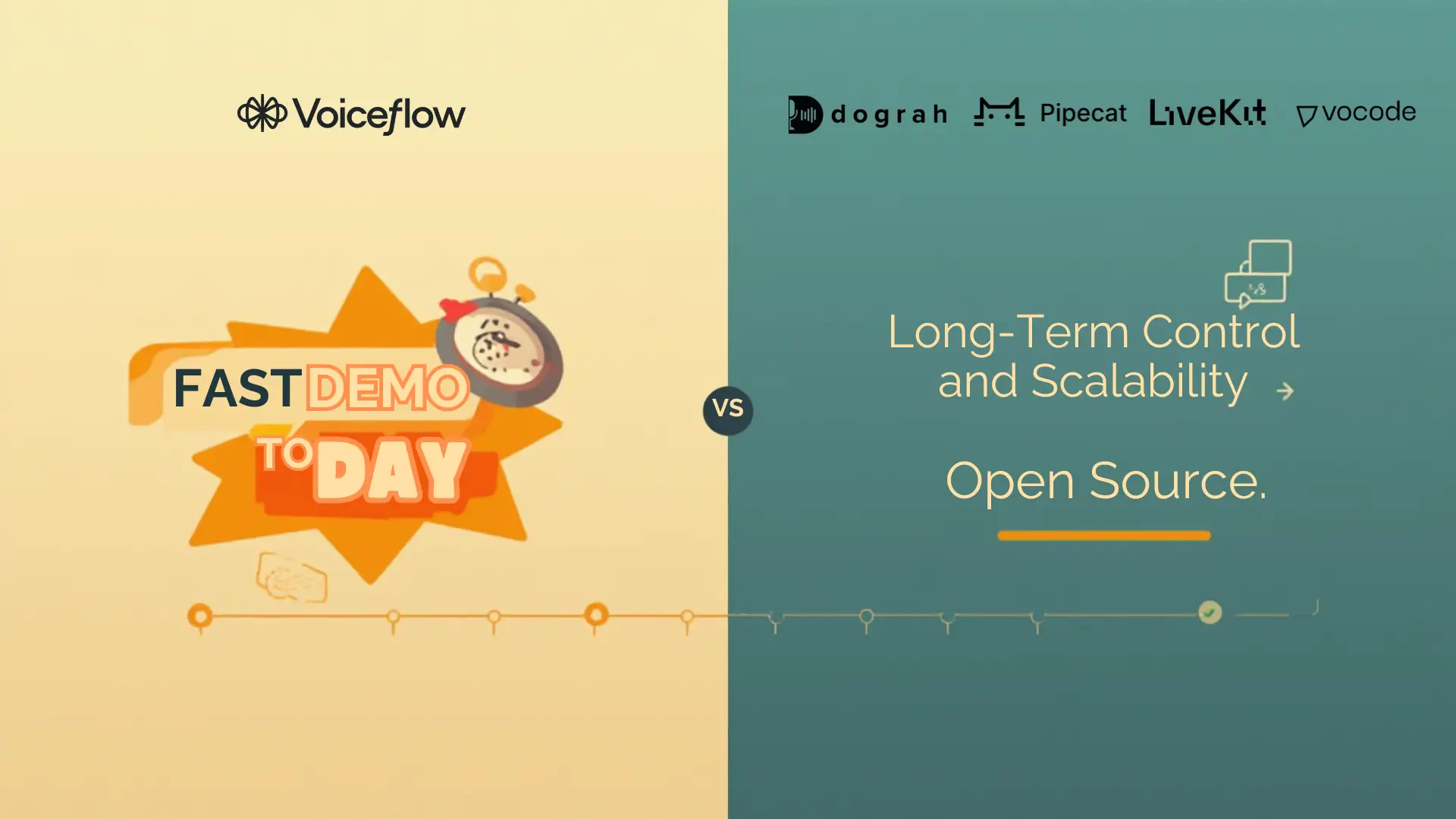
Voiceflow vs open-source voice agents isn’t really a question of which tool is better. It’s a buy vs build decision that depends on your priorities. If you need a working demo or prototype quickly, Voiceflow is appealing because it helps you move fast with minimal setup. But if you’re planning for high volume, like 50,000 calls/month, and need strict control over compliance, data and long-term costs, an open-source voice agent makes more sense.
In simple terms, Voiceflow optimizes for speed today, while open source optimizes for control tomorrow. This guide gives you rules, real cost drivers and production voice metrics so you can choose quickly.
Table of Contents
- Voiceflow vs open-source voice agent (buy vs build)
- Myths to Ignore Before you choose
- Side-by-Side Comparison Table (Voiceflow vs Open Source)
- Deep Dive Comparison on the Factors People Actually Decide on
- Performance, testing, and observability (voice is different from chat)
- Security, Privacy and Compliance (SOC 2, HIPAA-ready setups, PII controls)
- Pricing and Total cost: Voiceflow pricing vs Open-source cost to run
- Open-Source Voice Agent Options (and where Dograh fits best)
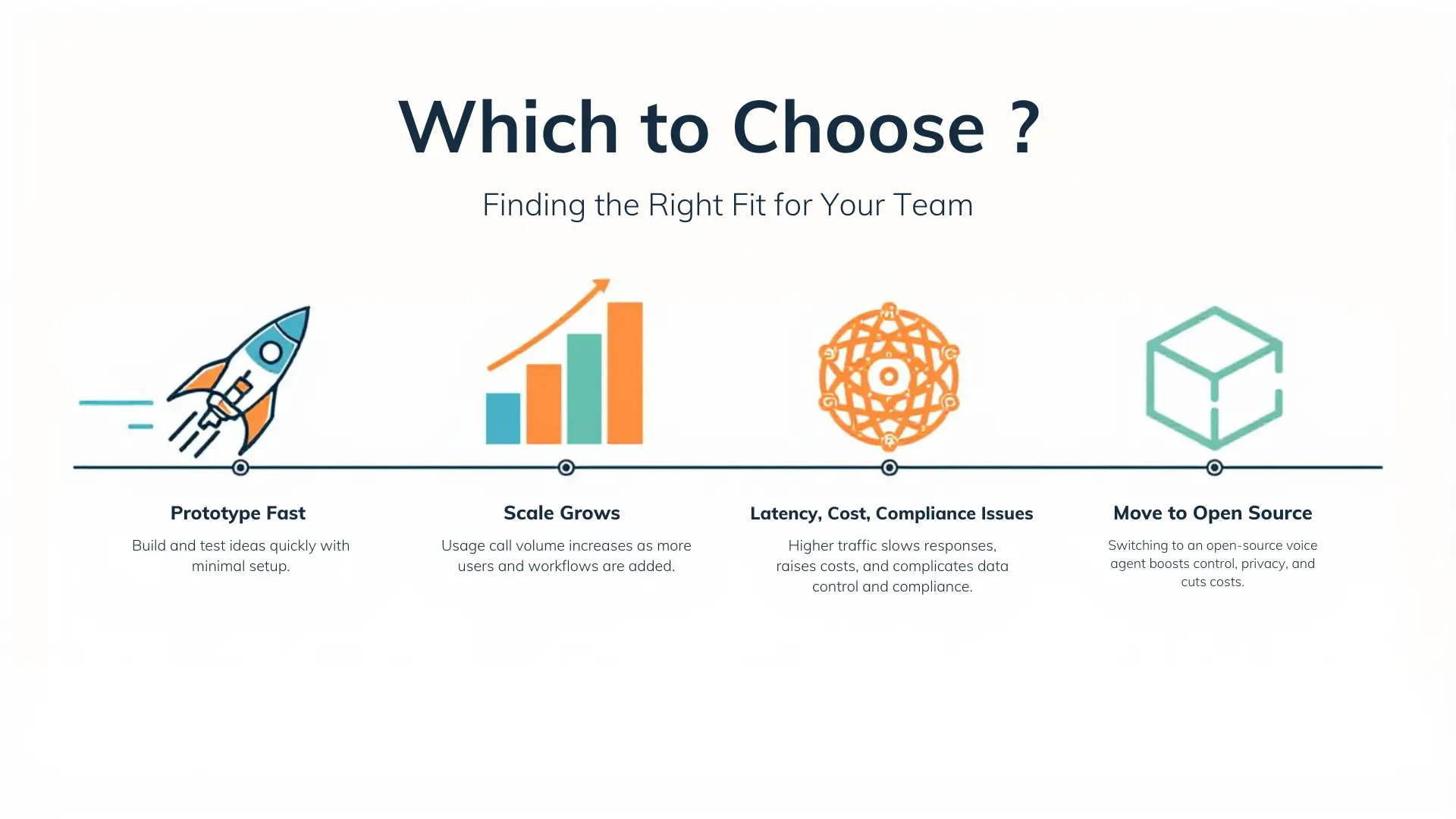
- Which should you choose? Decision rules + 5-minute checklist
- Final Recommendation
- FAQ
Voiceflow vs open-source voice agent (buy vs build)
Voiceflow vs open source voice agent usually comes down to one simple choice: how fast you need to launch versus how much control you want as your system grows.
What is a voice agent ?
A voice agent is software that answers phone calls (or makes calls), understands speech, decides what to do, and speaks back, and also interacts with your business tools, like updating records, sending messages or processing requests automatically.
Common jobs AI voice agents do:
- Answer FAQs and support questions
- Qualify leads and route calls
- Book appointments
- Collect structured data (name, intent, policy ID, etc.)
- Trigger actions in CRM/helpdesk (create ticket, update status, send follow-up)
Inbound vs outbound:
- Inbound: user calls ai voice agent > agent answers and helps.
- Outbound: AI voice agent calls users > reminders, collections, sales follow-ups, surveys.
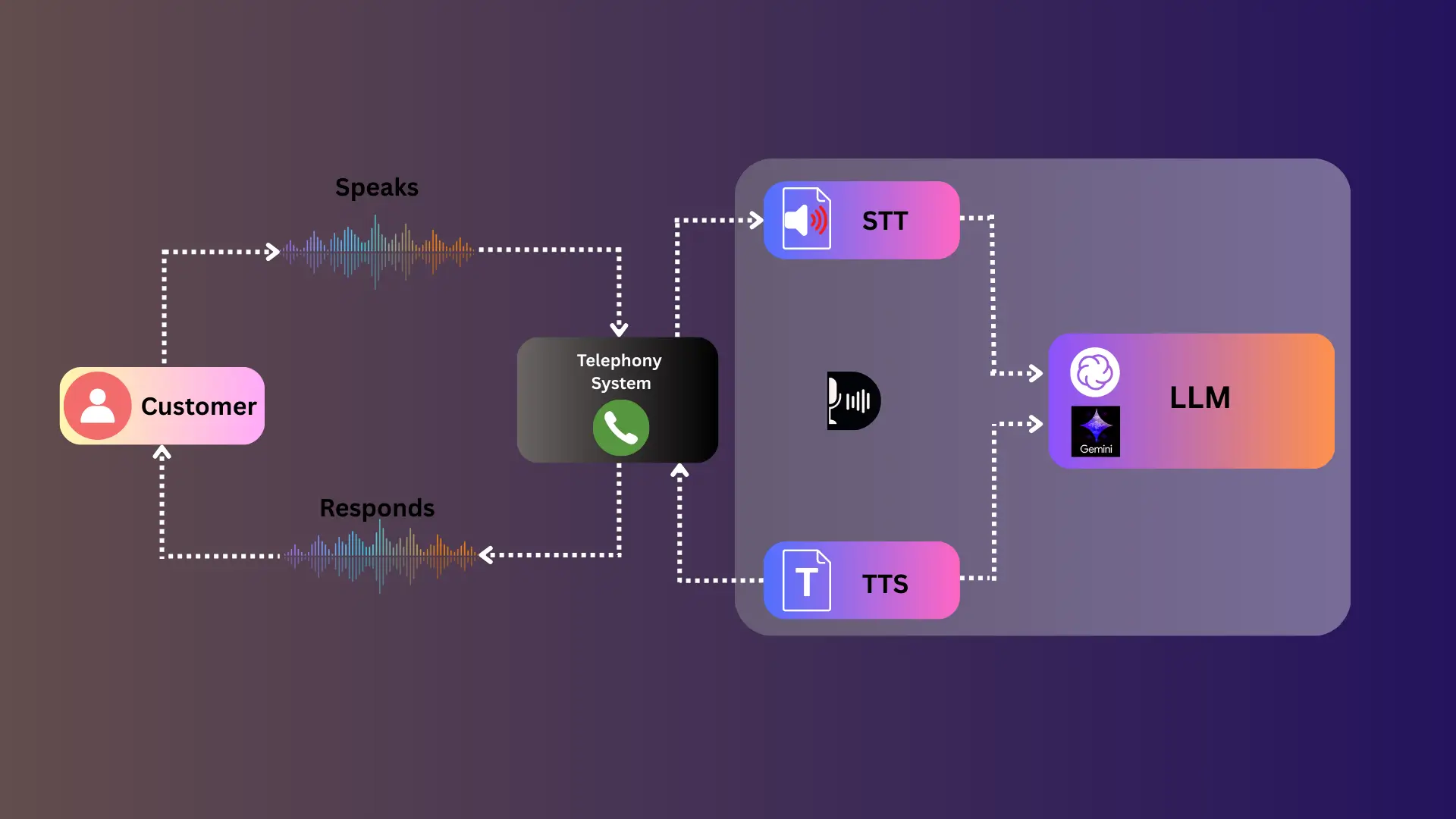
A practical architecture (the "real stack"):
Telephony (Twilio/SIP) > STT (speech-to-text) > LLM / orchestration > Tools/CRM -> TTS (text-to-speech) > Logging/analytics
If you want proof this category is real: 78% of businesses have deployed or are piloting Voice AI (up from 45% two years prior), and 91% in finance according to a 2025 survey.
Who this is for
- Founders validating a phone-based use case.
- Product teams/agency shipping an agent quickly.
- Dev/DevOps teams building production voices.
- Enterprise teams with data residency and compliance needs.
The Real Decision: Ship fast now vs Own the stack later
Buying a platform can get you moving in days. Building (or adopting open source and self-hosting) can give you long-term leverage.
A useful reference point: buying platforms can enable deployment in weeks to days, while in-house builds can take 6-18 months, especially when telephony integration and model tuning are involved.
That is why many teams buy first. But voice systems often hit scaling, latency, and compliance constraints later.
At-a-glance: What Voiceflow is vs What open source is
Voiceflow is primarily a no-code conversation design platform. It is strong for prototyping flows and shipping early versions, especially when your team comes from chatbots.
Open-source voice agent stacks are no-code (Like Dograh) or code-first and self-hostable systems. They are usually better suited for human-like voice where you need low latency, deep integrations and control over data processing.
A pattern observed, teams start from a chat agent background, choose Voiceflow first. Then they switch when voice limitations show up, call flow raises and scaling costs increase.
Myths to Ignore Before you choose
Most bad decisions happen because teams believe myths about pricing, security, and voice performance.
Myth 1: "No-code proprietary is always cheaper"
Reality: No-code is often cheaper for the first demo, not always cheaper at production volume (Like Voiceflow).
Example: You may pay per-editor, plus add-ons, plus external providers for calls and speech. Seat-based pricing becomes painful when more people need access (ops, QA, analysts, product, engineering).
What to do instead
- If your call volume is low, use a proprietary platform, if your monthly call volume is high, consider switching to an open-source solution.
Myth 2: "Open source means no support and no security"
Reality: Open source can be hardened, audited, and self-hosted. Support comes from the community (Slack, Discord, vendors or own team).
Self-hosting can improve security posture because user can control:
- Where audio and transcripts live
- How long you retain recordings
- Who can access logs
- How PII is redacted
A practical reference is this overview on privacy and customization benefits of open-source voice assistants.
What to do instead
- Decide your required data residency and retention rules first
- Choose open source when you must enforce those rules yourself
Myth 3: "All voice agents have the same latency"
Reality: Architecture drives latency.
Voice works like a pipeline, if any part (STT, TTS, LLM, Telephony) is slow, users will notice/feel the delay. In practice, Voiceflow voice setups often depend on external APIs like Twilio, and teams report inconsistent latency (often >600ms). Real-time pipelines can be tuned for <500ms depending on STT/TTS/LLM choices.
Research-backed latency thresholds matter:
- Sub-500ms end-to-end supports natural talk
- 200-300ms is a human-like turn-taking threshold
- Delays over 800ms disrupt conversation flow
- Leading platforms often land in 400-800ms total using streaming and edge processing
What to do instead
- Measure end-to-end latency in production, not just in demos
- Use streaming STT/TTS and interruption handling (barge-in)
- Treat latency as a product requirement
Takeaway
- No-code proprietary can be cost-effective early, but seat pricing can hurt later.
- Open source is secure when you self-host and enforce controls.
- Latency is not equal across stacks, and voice users notice quickly.
Glossary (key terms)
- Voice Agent: A system that listens, understands, decides, speaks, and takes actions on calls.
- STT (Speech-to-Text): Converts audio to text for the ai voice agent to understand.
- TTS (Text-to-Speech): Converts the ai voice agent's response into spoken audio.
- Workflow orchestration: The logic layer that decides steps, calls tools, and routes the conversation.
- Self-hosting / Data residency: Running the system in your own cloud/VPC or servers so you control where data is stored and processed.
Side-by-Side Comparison Table (Voiceflow vs Open Source)
This table is the fastest way to decide if you are closer to "buy" or "build".
Lightweight decision table (Speed, Skills, Control, Hosting, Integrations, Pricing, Support)
Verdict logic user can reuse:
- If you need a working demo this week, and have less customization > choose Voiceflow.
- If voice is core and you need control over latency, data, and integrations > choose open source.
Pros and cons: Voiceflow
Pros
- Very fast to prototype and iterate on conversation flows
- Good for product teams and mixed skill teams
- Helpful UI for building and reviewing dialog paths
- Can be a strong at first step from chatbots into voice
Cons
- Voice functionality often depends on external APIs like Twilio, which can lead to inconsistent latency (often >600ms).
- Limited native voice testing and deep voice analytics compared to production needs.
- Scaling can become expensive due to subscription and seat pricing.
- Control limits: hosting, retention, custom redaction, and deep integrations may require workarounds or external systems.
Pros and cons: Open-source voice agent
Pros
- Full code access and no vendor lock-in.
- Self-hosting for data residency and stronger control.
- Flexible swaps: STT/TTS/LLM providers can change without re-platforming.
- Scales without per-editor platform fees (cost shifts to usage + infrastructure).
- Easier to implement custom multi-agent workflows and decision trees.
Cons
- Requires prompt engineering and DevOps effort.
- Monitoring, reliability, and incident response must be managed by the user.
- Ongoing maintenance: upgrades, regression tests, security patches.
- More decisions to make (providers, hosting, observability stack).
Deep Dive Comparison on the Factors People Actually Decide on
Most teams say they care about features, but they actually decide on speed, control, and voice.
Speed to ship vs required skills (who can build what)
Voiceflow wins for time-to-first-demo with non-technical teams. Open source wins when developers need production-grade behavior and custom logic.
How this looks in practice:
- Voiceflow path: quick flow > connect to channels > ship a basic agent.
- Open-source path: build pipeline > implement tools > add monitoring > ship reliable voice.
To avoid the 6-18 month trap, do not build everything. Adopt ready to go open source platform and external API components (STT,TTS,LLM, Telephony).
Hosting and Control: Self-host, Data residency, Vendor lock-in
Control is mostly about where your data goes and what you can change.
If you self-host an open-source voice agent, you can control:
- Audio storage (recordings on/off, encryption)
- Transcript retention policies
- Model keys and routing (BYO keys)
- Internal network access (private APIs)
- Regional constraints (EU-only, US-only)
This matters because enterprises still worry about PII redaction and data residency. Users face block deals even when a vendor has compliance paperwork.
The bias is simple: when voice touches sensitive data, I would rather own the stack than argue over contract language.
- I can see how the system works at every step. I do not have to trust a closed vendor with how decisions are made or how data is processed.
- I decide where data is stored and how it is processed. I can keep sensitive information inside my infrastructure.
If you want a real-world signal: many people asking about self-hosting conclude that Voiceflow itself is primarily a cloud platform, and that self-hosting usually pushes teams to open-source frameworks.
What is workflow orchestration for voice agents?
Workflow orchestration is the logic layer that decides what happens next in the call. It routes between steps (verify user > check status > take payment > confirm), calls tools, and enforces guardrails.
In voice, orchestration reduces hallucinations because you rely less on free chat. You rely more on structured steps and tool outputs.
Customization and workflow orchestration (decision trees, multi-agent, tools)
Open source typically gives you more control over:
- Tool calling (CRM lookup, booking systems, ticketing)
- Decision trees (clear, testable branching)
- Multi-agent workflows (specialized sub-agents for billing vs support)
- Safety policies (when to refuse, when to escalate)
Voiceflow is strong in visual design. But deep customization often becomes hard without code, especially when your voice agent must behave like an ops system, not a chatbot.
Dograh's approach (what we built) is opinionated here: it supports custom multi-agent workflows to reduce hallucinations and make decision trees clearer. It also supports extracting variables from calls and triggering follow-up actions via webhooks.
Mini checklist (must-have vs nice-to-have)
Must-have for production voice
- Tool calling + retries + timeouts
- Structured state machine or decision logic
- Escalation path to human
- Logging with per-turn timing
Nice-to-have
- Visual flow builder for non-dev review
- Multi-agent specialization
- Built-in evals and synthetic tests
Integrations: telephony (Twilio/SIP), CRM, webhooks, and internal tools
Typical integration needs:
- Telephony: Inbound routing, outbound dialer, call recording, consent prompts.
- CRM/helpdesk: Create/update lead, attach transcript, open ticket, tag outcome.
- Internal tools: Pricing, order status, account verification, scheduling.
- Webhooks: Trigger custom business workflows.
Voiceflow can connect, but voice often relies on external telephony providers and custom setup for channels. Open source lets you design your own integration patterns and keep internal APIs private.
If your use case includes outbound calling with high volume, integration control is not optional.
Performance, testing, and observability (voice is different from chat)
Voice users do not tolerate pauses, interruptions, and misunderstanding the way chat users do.
What is voice agent latency ?
Voice agent latency is the time from when a user finishes speaking to when the agent starts speaking back.
It includes:
- STT time (audio > text)
- Model/orchestration time (decide response + tool calls)
- TTS time (text > audio)
- Network jitter and telephony delays
Research guidance you can use as targets:
- Aim for sub-500ms end-to-end for natural conversation.
- Optimize STT, model response, and TTS to be below 300ms each where possible.
- 200-300ms aligns with human-like turn-taking.
- Delays over 800ms disrupt flow.
- Many leading systems land in 400-800ms totals via streaming/edge processing.

Latency and call quality: What to measure in production
If only functionality is measured, issues that appear at scale will be missed.
Metrics block (definitions that matter)
- End-to-end latency: User stops talking > agent starts talking.
- Barge-in: User interrupts while agent speaks, and the agent handles it correctly.
- Jitter: Network variation causing choppy audio or timing drift.
- WER (Word Error Rate): STT accuracy measure, lower is better.
- Tool failure rate: % of tool calls that fail or time out.
What to measure table (targets you can start with)
Important accuracy note: speech recognition quality drops in the real world. Top providers can hit 5-15% WER on clean audio, but degrade to 20-50%+ in noisy environments. Open-source models like Whisper and Vosk may trail commercial leaders slightly on benchmarks, but can be strong for customization and low-resource languages.
Debugging and analytics: transcripts, turn-level timing, failure reasons
Voice analytics must be more granular than chat.
You want to see:
- Turn-level timing (STT time, LLM time, TTS time)
- Tool call failures and retries
- Drop-off points (where users hang up)
- ASR errors (misheard names, numbers, addresses)
- Confusion clusters (which step causes repeat questions)
A recurring complaint in the market is that Voiceflow analytics can feel basic, and voice is often a secondary focus compared to chat. That becomes obvious when you need per-turn latency breakdowns and barge-in diagnostics.
Testing and evals: from manual QA to automated voice testing
Testing is where production voice teams separate from demo voice teams.
Good testing looks like:
- Scripted calls (golden paths + edge cases)
- Persona tests (angry user, fast speaker, noisy background)
- Regression suites after every workflow change
- Load tests (concurrency spikes, telephony failures)
- Safety filters (PII handling, disallowed content)
Dograh's differentiator here is Looptalk, an AI-to-AI testing approach (voice bot testing voice bot). It is still raw and in progress, but the direction matters.
How Looptalk-style testing works (simple steps):
- Spin up persona callers (AI "customers" with different goals and tones).
- Have them call your voice agent automatically.
- Score outcomes: task completion, latency, fallback rate, and failure reasons.
Dograh is being built with pre-integrated evaluations and LLM observability, because voice systems require continuous measurement, not just one-time QA.
Security, Privacy and Compliance (SOC 2, HIPAA-ready setups, PII controls)
Security is mostly about how data moves and is controlled, not the badges or logos shown in marketing.
What is data residency for voice AI ?
Data residency means where your voice data is stored and processed. For voice AI, that includes audio recordings, transcripts, metadata, and logs.
Data residency matters because voice calls can contain:
- Names, addresses, phone numbers
- Account IDs and payment context
- Health or financial details
If your agent handles sensitive calls, you need clarity on where data goes at every step.
Voiceflow security and enterprise readiness (what you get)
Voiceflow offers enterprise readiness features, and SOC 2 is available for enterprise use (as referenced in expert guidance).
That helps, but it does not remove all questions. You still need to confirm:
- Where audio/transcripts are processed (region).
- Retention policies and deletion process.
- Access control and audit logs.
- How third-party providers (telephony, STT/TTS) handle data.
Open source security model: self-hosting, audits, and custom controls.
Self-hosting changes the default security posture.
In an open-source setup, user can implement:
- VPC deployment with private networking
- Secrets management (KMS/Vault)
- Encryption at rest and in transit
- Role-based access controls
- Data retention schedules (auto-delete)
- PII redaction in transcripts before storage
- Custom audit logs aligned to your internal policies
The cost point is also stronger than many vendors admit: recurring platform fees create extra expense, while self-hosting usually means just predictable infrastructure and staffing costs.
Compliance decision map (who needs what)
Use this quick mapping to avoid overbuilding.
1. Startup MVP (non-regulated):
- Basic consent, minimal retention, secure storage
- Often fine with vendor-hosted tools
2. Sales and ops calling (moderate risk):
- Call recording consent scripts
- Role-based access to recordings and transcripts
- Clear deletion policy
3. Healthcare / HIPAA-style needs:
- Strong access control, retention rules, audit logs
- Prefer self-hosting or strict vendor terms
- Potential need for a BAA (Business Associate Agreement) depending on scope
4. Finance / regulated (high risk):
- Data residency controls, strict auditability
- Redaction workflows and logging
- Vendor reviews and internal security approvals
Compliance comparison table
Common enterprise questions (fast Q&A)
- Can we keep audio inside our VPC?
With self-hosting, yes. With vendor platforms, it depends on the architecture and contracts. - Can we redact PII before saving transcripts?
Open source makes this easier because you can modify the pipeline directly. - Can we integrate with legacy internal systems?
Open source usually wins because you can call private services without exposing them publicly.
Pricing and Total cost: Voiceflow pricing vs Open-source cost to run
The price you see on a landing page is not the cost of running voice in production.
Voiceflow pricing basics + example budgets
Voiceflow pricing starts at $60/editor/month after a free tier.
What drives real cost:
- Number of editors (product, ops, QA, analysts)
- Environments (dev/stage/prod)
- Voice channel dependencies (telephony, STT, TTS, LLM usage)
- Any add-ons for collaboration and enterprise controls
Example budgets (simple, illustrative)
Scenario A: Prototype (1-2 editors, low volume)
- Voiceflow: 1-2 editors x $60/month = $60-$120/month platform cost
- Plus: telephony minutes + STT/TTS + LLM usage (varies by provider)
Scenario B: Small team (5 editors, shipping to real users)
- Platform: 5 x $60 = $300/month
- Plus: voice provider costs and any required add-ons
- Risk: cost grows linearly with seats even if usage is stable
Scenario C: Scaled ops (15 editors across teams)
- Platform: 15 x $60 = $900/month before voice usage and add-ons.
- Plus: external provider costs and potentially enterprise plan requirements.
- Risk: seat cost + voice usage + scaling complexity can exceed an OSS approach.
Open source cost model: what is free and what is not
Open source code/platform can be free. Voice components (STT,TTS,LLM, Telephony) work on BYON (Bring your own) concepts.
You still pay for:
- Telephony minutes (Twilio/SIP providers)
- STT/TTS usage (commercial APIs or self-hosted models)
- LLM usage (token costs or self-host inference)
- Compute and scaling (CPU/GPU, autoscaling)
- Logging and storage (transcripts, recordings)
- Monitoring (metrics, traces)
- On-call time and maintenance
The advantage is that there is no per-editor platform fee and you avoid vendor lock-in. Your marginal cost is usage + infrastructure, not more seats.
Total cost formula (tooling + engineering time + maintenance)
Use this simple worksheet method to estimate TCO.
Monthly TCO estimate
- Telephony cost = call minutes x provider rate
- STT cost = audio minutes x STT rate (or compute if self-hosted)
- TTS cost = generated audio minutes x TTS rate
- LLM cost = tokens x model rate
- Hosting cost = servers + storage + bandwidth
- People cost = (engineering + DevOps + on-call hours) x hourly rate
- Compliance overhead = security reviews, audits, controls (if applicable)
Break-even idea (practical, not perfect):
- If you have many editors and moderate-to-high call volume, open source often becomes cheaper.
- If you have few editors and low volume, buying can be cheaper in the first phase.
Cost pitfalls to avoid
- Seat pricing that grows as more teams need access
- Concurrency spikes that increase usage unexpectedly
- Underestimating monitoring and incident response
- Compliance work that appears only after you sign your first enterprise customer
Open-Source Voice Agent Options (and where Dograh fits best)
Open source is not one thing. It is a set of building blocks and platforms.
What is an open-source voice agent stack ?
An open-source voice agent stack is a set of components you can run and modify yourself to build a calling agent.
It typically includes:
- Telephony integration (Twilio/SIP)
- Real-time audio streaming
- STT + TTS components
- Orchestration logic (tools, memory, routing)
- Logging, analytics, and testing
Dograh AI (open-source alternative for visual workflows + self-host)
Dograh is built for developers, startups, and indie hackers who want OSS control without losing iteration speed.
Positioning:
- FOSS and self-hostable
- Drag-and-drop builder with plain-English workflow editing
- Bring-your-own keys (STT/LLM/TTS)
- Build inbound and outbound calling flows quickly (often in under 2 minutes to first usable setup)
- Multi-agent workflows to reduce hallucination and support decision trees
- Multilingual and multiple voices
- Webhooks for internal API workflows
- Looptalk AI-to-AI testing (in progress)
- Enhanced analytics and planned built-in evals/observability
Statement we stand behind:
"With Dograh AI, I self-host my voice agents, control my data, avoid vendor lock-in, and eliminate platform fees with open-source transparency."
If you want to explore Dograh, start at the official site with product context and docs direction.
Pipecat vs LiveKit vs Vocode (what each is good for)
You do not need a long top-10 list. You need to know what each is for.
- Pipecat: A framework for building real-time conversational pipelines with low latency. It focuses on pipeline orchestration and features like barge-in handling, echo cancellation, noise suppression, speaker diarization, and multimodal support (anchor text: Pipecat real-time voice pipelines).
- LiveKit: Real-time audio/video infrastructure. It is often used as the transport layer for streaming audio in real time (helpful when your system resembles a real-time comms app).
- Vocode: Programmable voice agents with telephony integrations and examples. It can be a building block when you want code-first control (anchor text: Vocode open-source repo).
How this fits together:
- Dograh offers a superior UI workflow and visual builder.
- Pipecat or LiveKit can be part of the real-time audio transport and pipeline tuning.
- Vocode can be a reference implementation or component for telephony and agent patterns.
GitHub signals and "ai voice agent free" reality check
"AI voice agent free" usually means the repository is free. Calls, models, and infrastructure still cost money.
When evaluating an ai calling agent GitHub repo, check:
- Commit activity (recent commits, active maintainers)
- Issue health (response time, bug fixes)
- Docs and examples (can you run it in 30 minutes?)
- Licensing (can you use it commercially?)
- Security posture (secrets handling, dependency updates)
- Integration clarity (Twilio/SIP, webhooks, CRM patterns)
Which should you choose? Decision rules + 5-minute checklist
If you apply the rules below, you can easily decide which to choose.
Choose Voiceflow if... (clear rules)
- You need a prototype fast and your team is not deeply technical
- Your agent is chat-first and voice is secondary
- You do not need deep integrations beyond basic webhooks
- Compliance needs are lighter and vendor hosting is acceptable
- You accept per-editor pricing and platform constraints
- You prefer a guided UI over code and infrastructure ownership
Choose open source if... (clear rules)
- Voice is core to the product or operations
- You need low latency and consistent call quality
- You need deep integrations (private APIs, custom routing, complex tooling)
- You need self-hosting, data residency, and custom retention policies
- You need custom PII redaction workflows
- You want to avoid vendor lock-in and per-editor fees
- You have developers (and ideally DevOps) who can own the system
5-minute checklist (printable decision tool)
Answer each item with 0-2 points.
Scoring:
- 0 = not needed
- 1 = somewhat needed
- 2 = must-have
A) Team and timeline
- We need a demo in <2 weeks
- We have developers available for the next 4-8 weeks
- We have DevOps/on-call capacity
B) Voice performance
- We need end-to-end latency near sub-500ms
- We need strong barge-in handling
- We expect noisy environments (call centers, mobile)
C) Compliance and control
- We need data residency control (region/VPC)
- We need PII redaction before storage
- We need strict retention and audit logs
D) Integrations
- We need Twilio/SIP routing and custom call flows
- We need CRM/helpdesk logging and ticket automation
- We need private internal tool calls and webhooks
E) Scale and cost
- More than 5 people need editor access
- Call volume will grow significantly
- We want to avoid per-seat platform expansion cost
How to decide:
- If demo speed is your only 2-point area > lean Voiceflow.
- If compliance + integrations + latency are 2-point areas > lean open source.
- If your total open source drivers (B+C+D+E) score is high, you will likely switch later anyway. Starting OSS earlier can reduce rework.
Persona examples (2-3 quick stories)
1) Solo founder validating a use case
You need proof that customers will accept an automated phone agent. Start with a quick builder (Voiceflow or Dograh) and focus on call scripts and outcomes.
If you later need self-hosting or deep integrations, plan the migration early.
2) Small ops team running outbound calling
You care about cost control, routing logic, and CRM updates. Open source often fits better because you can avoid per-editor pricing, implement custom dialer logic, and keep adding workflows without vendor constraints.
3) Enterprise dev team with compliance and legacy systems
You likely need data residency, custom PII redaction, and internal network access. Open source (including Dograh) tends to be the default choice because you can modify the pipeline and integrate with internal systems built over years.
Prerequisites (before you commit to buy or build)
You will save weeks if you clarify these first.
- Telephony choice (Twilio, SIP provider, regional requirements)
- Target latency and call quality metrics (sub-500ms target if needed)
- Data policy (recording on/off, transcript retention, redaction rules)
- Integration list (CRM, scheduling, ticketing, internal APIs)
- Escalation plan (handoff to humans, business hours, fallback)
- Ownership model (who debugs at 2 a.m.?)
Top Open-Source Voiceflow Replacements: Featuring Dograh AI
Interested in leveraging Dograh for lead generation, cold calling or business automation ? Here’s a streamlined path to getting started, along with direct links to essential resources :
1. Dograh AI: Quick Start Demo
2. Run Docker Command
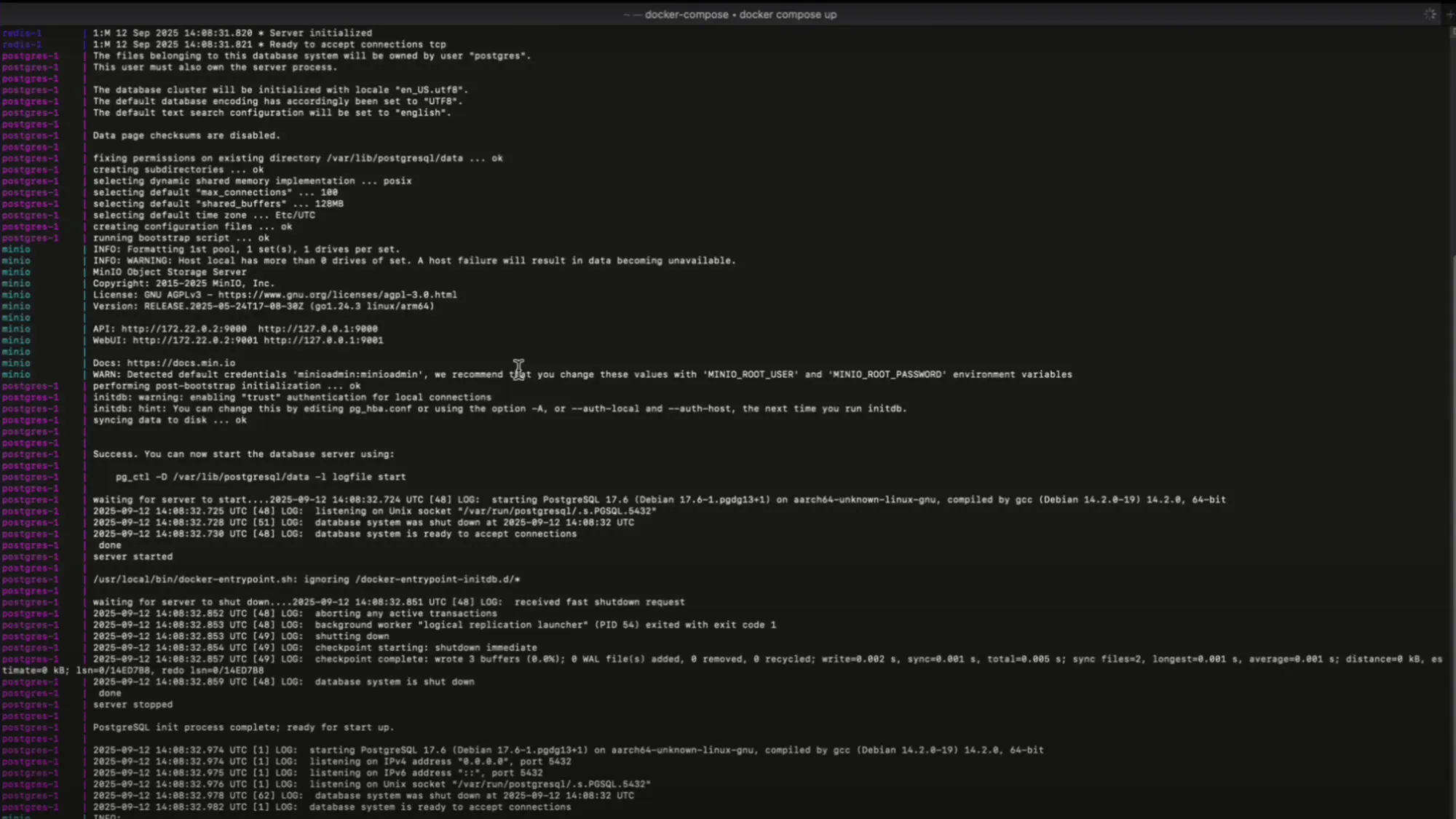
Download and Start Dograh first startup may take 2-3 mins to download all images
3. Quick Start Instructions
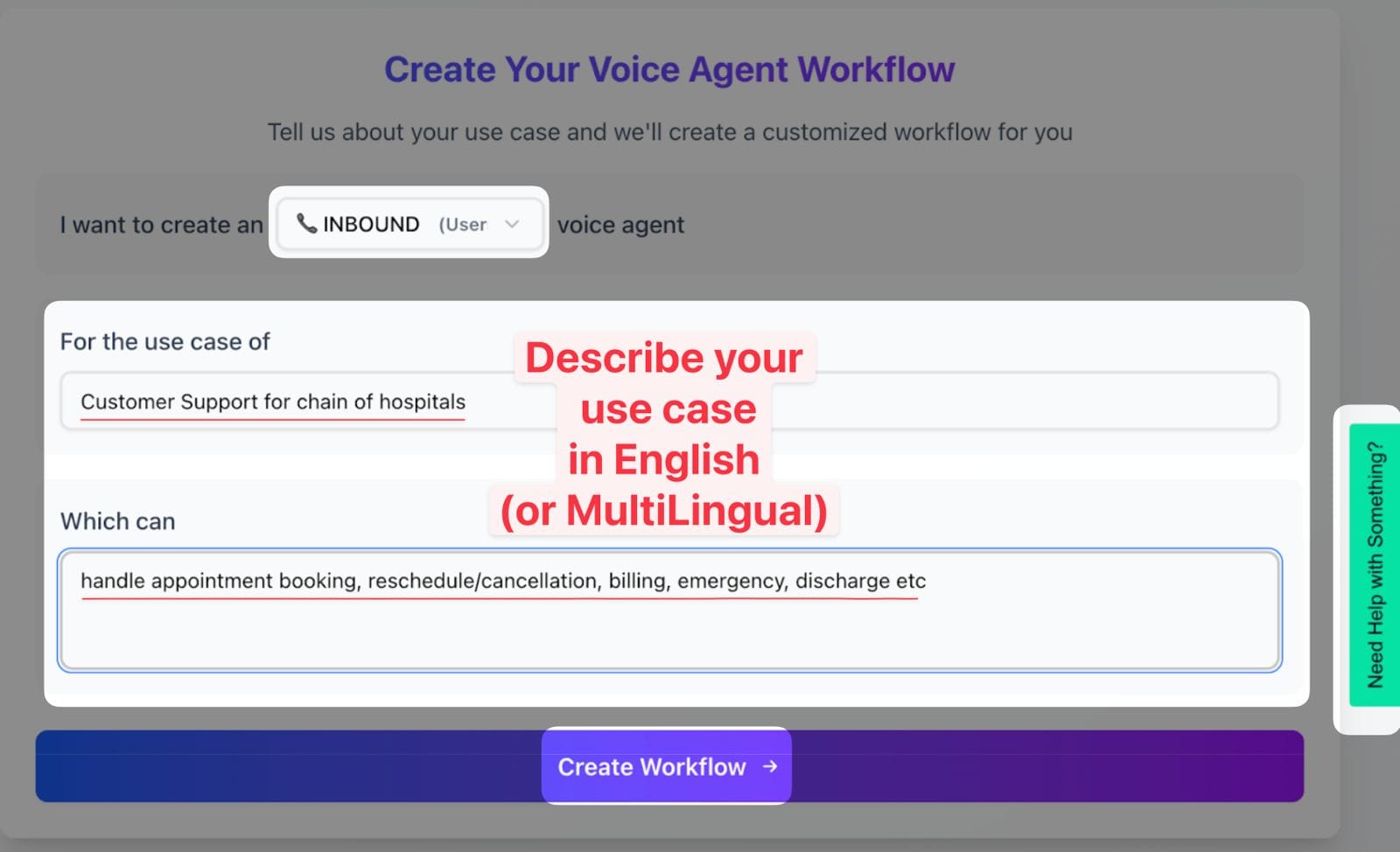
Describe use case
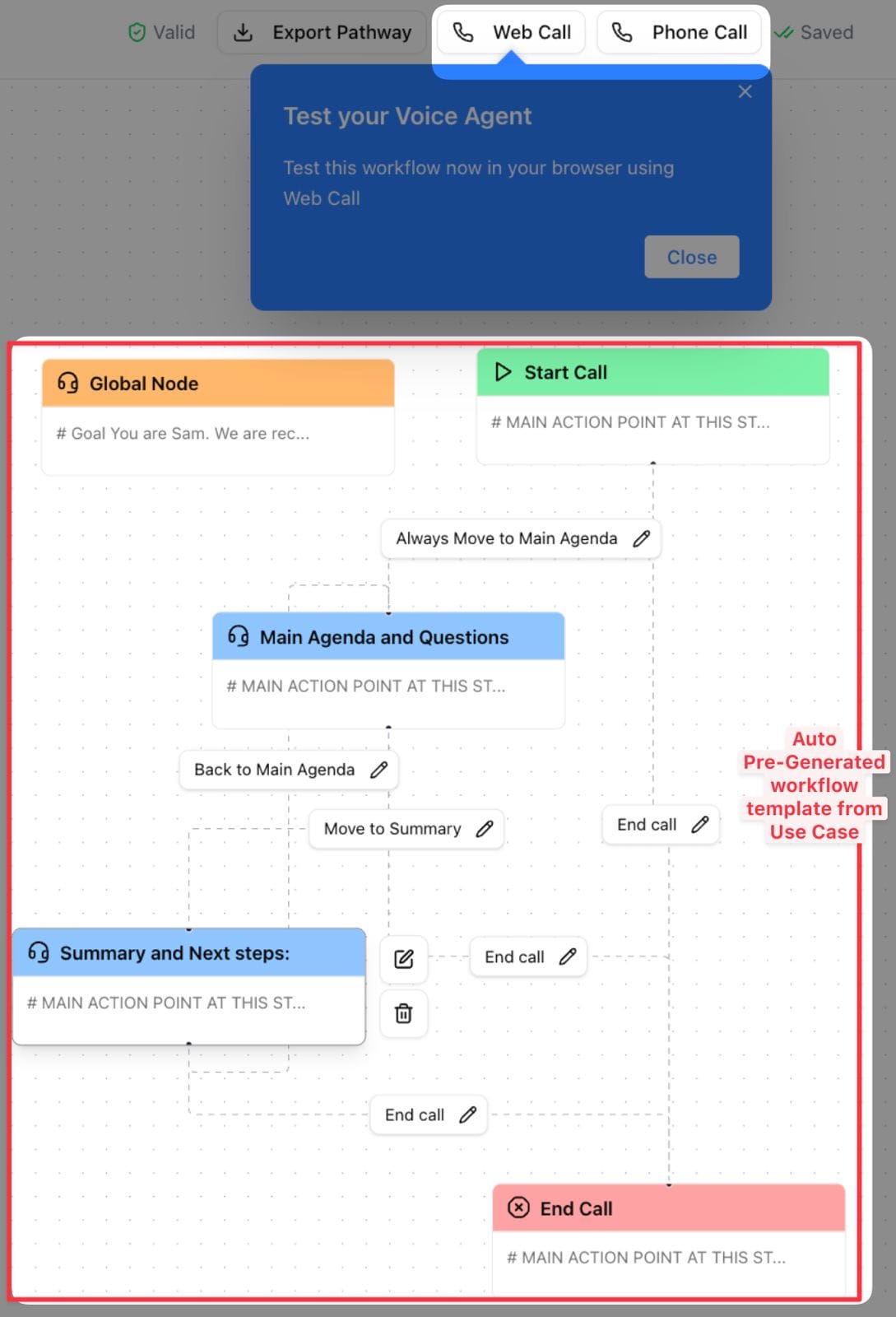
Auto-generated templates - test your bot and customize quickly
Step by step written guide to building and deploying your first voice AI Agent
- Open Dashboard: Launch http://localhost:3000 on your browser.
- Choose Call Type: Select Inbound or Outbound calling.
- Name Your Bot: Use a short two-word name (e.g., Lead Qualification).
- Describe Use Case: In 5–10 words (e.g., Screen insurance form submissions for purchase intent).
- Launch: Your bot is ready! Open the bot and click Web Call to talk to it.
4. Community & Support
Join Slack Community and discuss issue with Dograh experts :
5. Additional Resource
Final Recommendation
If the goal is to quickly prove a concept, Voiceflow is a reasonable starting point. But if voice is core to the business and strict latency, compliance, or deep integrations are expected, it’s better to start with an open-source solution. This requires more engineering effort upfront but avoids a costly rebuild later.
For those who want an open-source option without losing a visual workflow builder, Dograh is designed for that: it’s open source, self-hostable, supports BYO keys, multi-agent workflows, and is adding Looptalk testing.
A practical way to evaluate both paths:
- Prototype one call flow in Voiceflow (speed test).
- Prototype the same flow in Dograh (control test).
- Compare latency, integration effort, and the cost model after 2 weeks.
Call to action (Dograh) We are looking for beta users, contributors, and feedback. If you want to self-host, avoid lock-in, and keep the code open, start here: Dograh open-source voice agent platform.
FAQ’s
1. Is Voiceflow open source ?
Voiceflow is a closed platform that lets you quickly build voice flows, but you can’t fully access the code or host it yourself, and it depends on outside services, which can affect speed, data control, and costs.
2. Is Voiceflow better for beginners ?
For beginner builders or developers, open-source voice agents like Dograh offer learning from real examples, self-hosting, and community support, making it easier to prototype for free and scale to production.
3. How do I choose between Voiceflow and an open-source voice agent for production scale ?
An open-source voice agent is recommended when voice is central and high-scale, low-latency, or custom workflows are needed. Tools like Dograh, Pipecat, or Vocode provide full pipeline control, prevent vendor lock-in, and allow early testing of performance and costs.
4. Is open-source voice AI really cheaper than Voiceflow pricing over time ?
With open-source voice AI, there’s no platform fee, but user need to pay for hosting, telephony, and models. Savings grow with high call volume or many agents, making it a strong alternative to Voiceflow as voice becomes core.
5. What are the best open-source voice agent projects on GitHub to start with ?
Some top open-source voice agent projects on GitHub to start with include Dograh AI, Pipecat, and Vocode, Dograh AI offering a solid visual workflow layer and self-hosting support.
