
Sales teams do not lose deals because they are "bad at sales." They lose deals because leads go cold, follow-ups slip, and reps spend too much time on the wrong conversations. Conversational AI voice agent fixes the response-time and workflow gap first. Help in improving qualification, scheduling, appointment booking and overall CRM hygiene.
This guide shows how to use open-source voice (including self-hosted Dograh, LiveKit, Pipecat, and Vocode) to capture more meetings, waste less rep time, and keep RevOps data clean.
Why sales teams are losing leads (and time) without conversational AI
Fast response beats perfect scripting in most inbound funnels. If your team is not fast, another team is. A conversational AI voice agent is a practical way to be fast without hiring a night shift.
The core pain: slow lead response and weak qualification
Inbound leads have the highest intent right after they raise their hand. But most teams respond minutes or hours later, usually in batches. That is how "hot" turns into "ghost."
Here is what I have seen repeatedly when I audit sales ops setups:
- Reps call late, then call again, then forget to follow up.
- AEs get booked with low-fit leads because SDR notes are missing.
- Calendars become a bottleneck. Scheduling turns into email ping-pong.
- CRM becomes a storybook, not a database. Forecasting suffers.
This is not a rep problem. It is a workflow and capacity problem.
In this blog we will discuss open-source Conversational AI for Sales stacks and platforms including Dograh, LiveKit, Pipecat, and Vocode.

Myths that slow down adoption (and how to think about them)
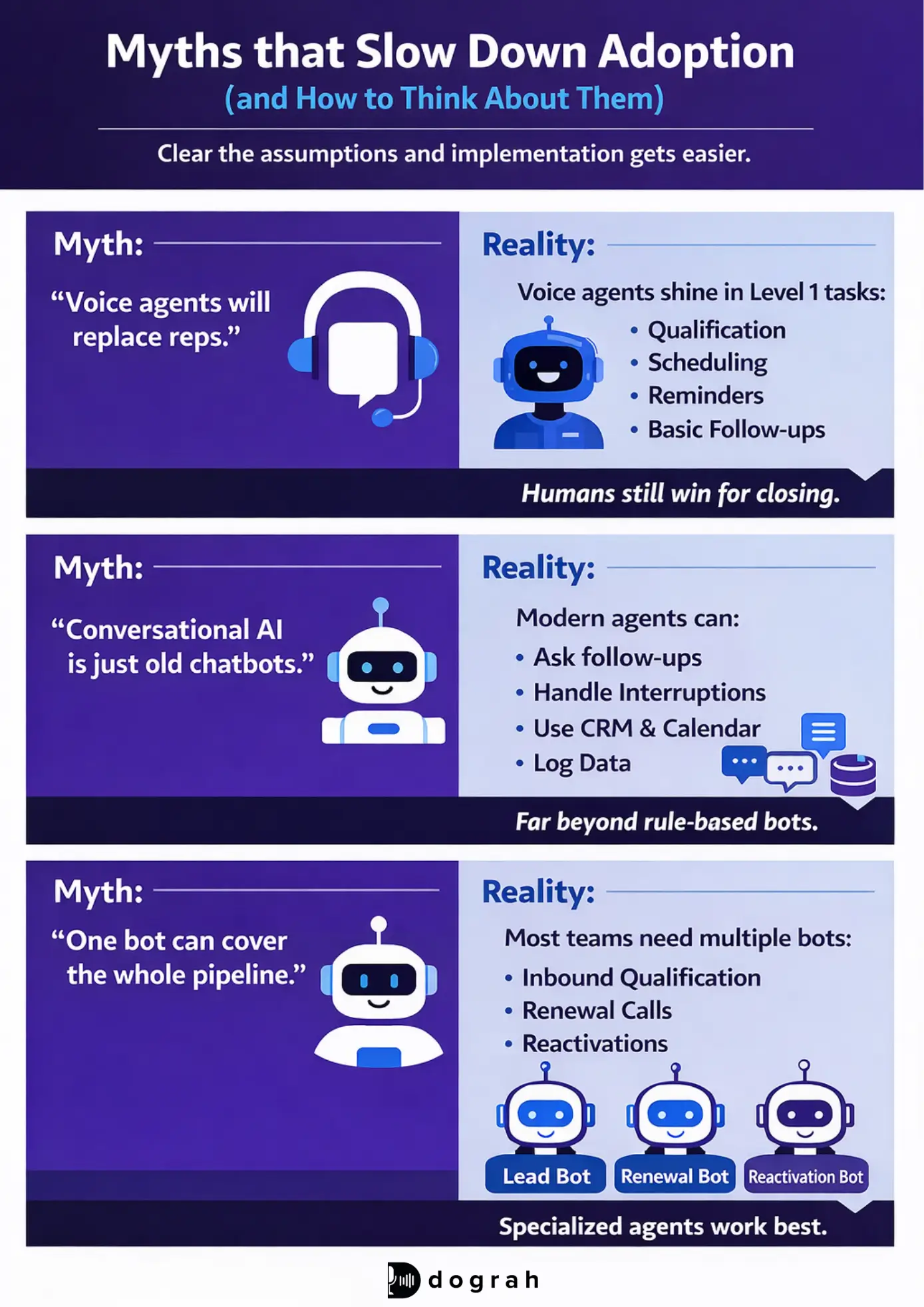
Most objections come from outdated assumptions. Clear these up early and implementation becomes much simpler.
These are the three myths I hear most.
- Myth: "Voice agents will replace reps."
Reality: Voice agents shine in Level 1 tasks (qualification, scheduling, reminders, basic follow-ups). For empathy-heavy negotiation and closing, humans still win.
- Myth: "Conversational AI is just old chatbots."
Reality: Modern agents can ask follow-up questions, handle interruptions, use tools (CRM/calendar), and log structured data. Rules-only chat widgets cannot.
- Myth: "One bot can cover the whole pipeline."
Reality: Most real teams need multiple agents per use case. One for inbound qualification, one for renewals, one for reactivation, and so on. This keeps workflows tighter and safer.
 Dograh AI
What conversational AI for sales is (and how it is different from old chatbots)
Conversational AI in sales goes beyond forms, it actively runs the sales interaction. It is a workflow engine that talks. The goal is sales outcomes: qualify, route, schedule, follow up, and update systems.
Definition: conversational AI for sales across chat + voice
Conversational AI for sales is software that can have human-style conversations across channels (voice calls, website chat, SMS, email, WhatsApp-style messaging) to complete sales tasks.
In practice, it can:
- Call a lead seconds after a form fill
- Ask qualification questions and adapt based on answers
- Book the right meeting with the right rep
- Send reminders, handle reschedules, and reduce no-shows
- Capture objections and next steps
- Write back to your CRM with structured fields, not vague notes
This matches how sales actually happens: across tools, across channels, and across time.
How conversational AI works (simple view of the stack)
A simple mental model helps you avoid "demo thinking." The stack is straightforward, and the workflow layer is the difference-maker.
Here is the practical flow for voice:
- Telephony/audio in
Incoming call or outbound dial starts the session.
- Speech-to-text (STT)
The caller's audio becomes text quickly.
- LLM reasoning + workflow rules
The model responds, but the workflow decides what is allowed and what happens next.
- Tool calls (CRM/calendar/KB)
The agent uses tools like:
1. CRM read/write (HubSpot/Salesforce)
2. Calendar (Calendly/Google Calendar)
3. Knowledge base lookup (FAQs, docs)
4. Webhooks to your internal APIs
- Text-to-speech (TTS) out
The system speaks back in a natural voice.
Where common open-source pieces fit:
- Dograh sits closer to the workflow + agent builder layer, with a visual builder and plain-English edits, plus self-hosting and BYOK.
- LiveKit often powers real-time audio sessions (infrastructure layer).
- Pipecat is often used to orchestrate real-time voice pipelines.
- Vocode provides building blocks for voice agents and integrations.
The key point: the best sales agents are not only "smart." They are controlled by workflows.
Old chatbot vs modern AI sales assistant (key differences)
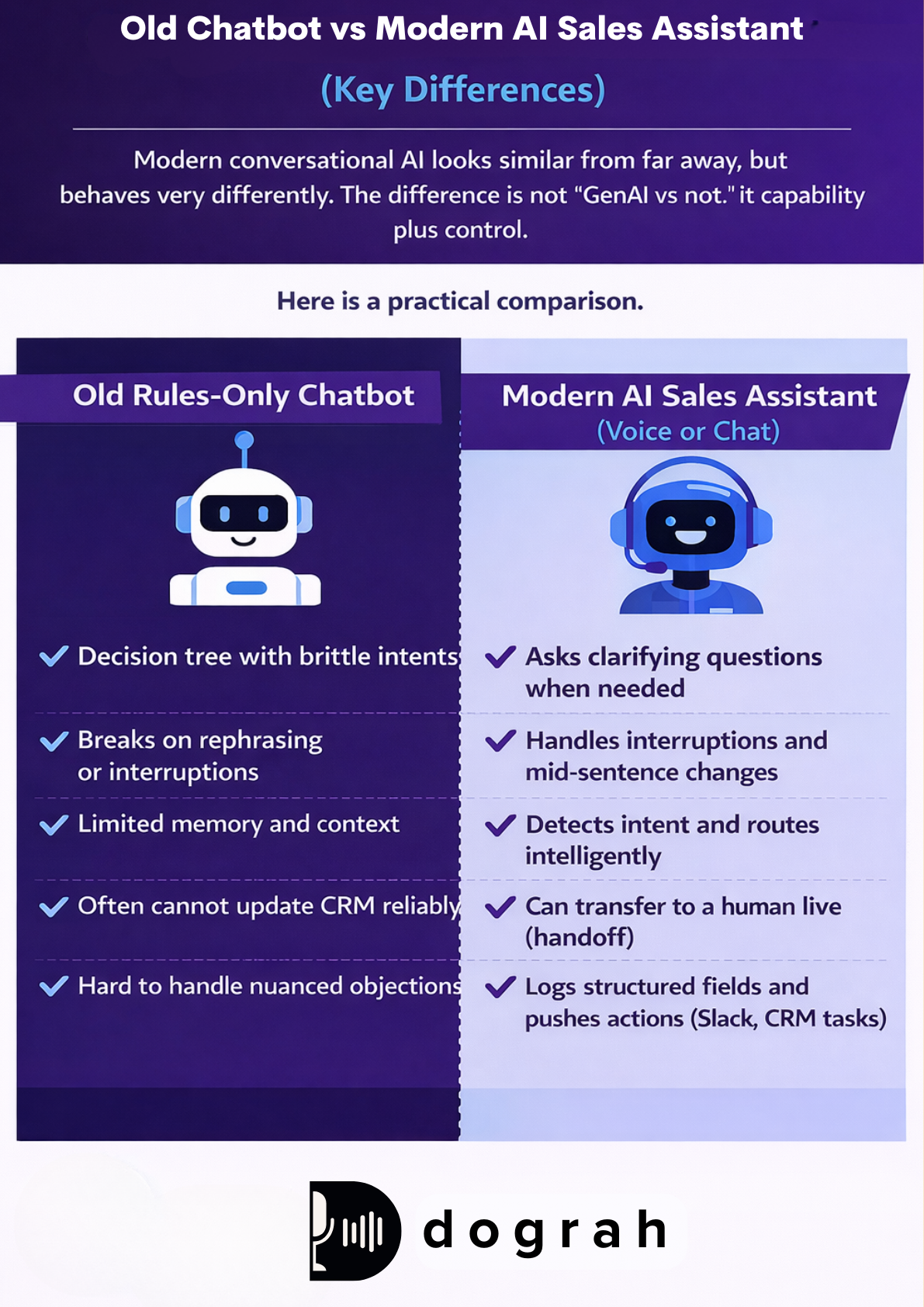
Modern conversational AI looks similar from far away, but behaves very differently. The difference is not "GenAI vs non-GenAI." It is capability plus control.
Here is a practical comparison.
Old rules-only chatbot
- Decision tree with brittle intents
- Breaks on rephrasing or interruptions
- Limited memory and context
- Often cannot update CRM reliably
- Hard to handle nuanced objections
Modern AI sales assistant (voice or chat)
- Asks clarifying questions when needed
- Handles interruptions and mid-sentence changes
- Detects intent and routes intelligently
- Can transfer to a human live (handoff)
- Logs structured fields and pushes actions (Slack, CRM tasks)
For complex B2B, this matters. Research also points to AI augmenting the sales process end-to-end, especially in complex B2B environments. Colleen McClure (UAB Collat School of Business) notes that "AI technologies are helping to augment every phase of the sales process, especially as it relates to complex B2B sales."
Glossary (key terms)
- Intelligent call transfer (human handoff): A controlled transfer from the AI agent to a human rep when a rule triggers (high intent, pricing negotiation, distress, compliance risk, or "ask for a human"). It should include context handoff (summary + transcript + fields).
- Buying-signal detection: The agent's ability to recognize high-intent signals (clear timeline, budget confirmation, competitor comparison, "I want to move forward") and switch to a booking/escalation path instead of continuing generic questions.
- Latency budget (for streaming voice agents): The maximum acceptable end-to-end delay (speech -> text -> reasoning -> audio) before callers feel the agent is slow or broken. Smaller latency budgets often force more infrastructure headroom and higher cost.
- Bring-your-own keys (BYOK) for STT/LLM/TTS: You provide your own API keys for speech-to-text, the LLM, and text-to-speech. This improves control over cost, privacy, model choice, and vendor lock-in.
- AI-to-AI testing (Looptalk): Automated testing where AI "customer personas" call or chat with your AI agent to stress-test edge cases before production. Dograh includes an early testing suite called Looptalk for this.
Benefits of conversational AI for sales (what improves and why)
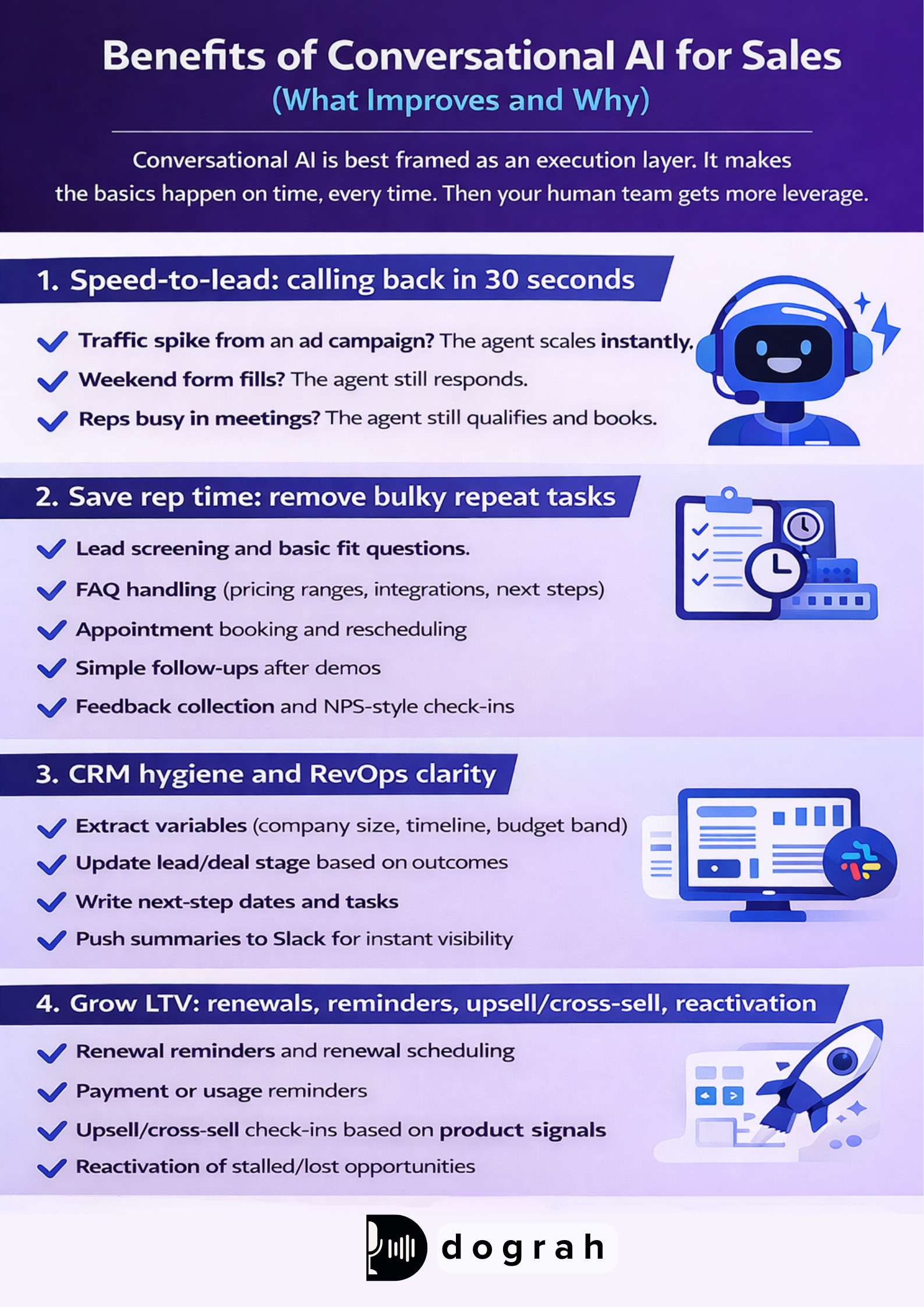
Conversational AI is best framed as an execution layer. It makes the basics happen on time, every time. Then your human team gets more leverage.
Speed-to-lead: calling back in 30 seconds
Speed-to-lead is the first win because it is simple and measurable. When intent is high, time matters more than polish. A voice agent can call back within ~30 seconds, 24/7.
This is where scalability becomes real:
- Traffic spike from an ad campaign? The agent scales instantly.
- Weekend form fills? The agent still responds.
- Reps busy in meetings? The agent still qualifies and books.
Dograh believes speed wins. A voice AI agent isn’t there to replace your best seller, it’s there to ensure no call, no question, and no buying intent ever goes unanswered.
Save rep time: remove bulky repeat tasks
Good teams protect rep time aggressively. Conversational AI removes low-leverage work. Your reps spend more time on the conversations only humans should do.
Common time-savers:
- Lead screening and basic fit questions
- FAQ handling (pricing ranges, integrations, next steps)
- Appointment booking and rescheduling
- Simple follow-ups after demos
- Feedback collection and NPS-style check-ins
In my own workflow reviews, the biggest hidden cost is context rebuilding. Reps re-read notes, re-check calendars, and chase missing fields. Agents can capture those fields during the conversation.
CRM hygiene and RevOps clarity
CRM hygiene is a sales efficiency issue and a forecasting issue. When fields are missing, RevOps cannot see reality. Voice agents can capture structured data consistently.
A good sales agent can:
- Extract variables (company size, timeline, budget band)
- Update lead/deal stage based on outcomes
- Write next-step dates and tasks
- Push summaries to Slack for instant visibility
This aligns with academic views that AI embedded into CRM can automate routine tasks and optimize engagement (see Artificial Intelligence in Sales and Marketing: Enhancing Customer Satisfaction, Experience and Loyalty, SSRN paper).
Grow LTV: renewals, reminders, upsell/cross-sell, reactivation
Conversational AI is not only for net-new. It is also a revenue retention engine. Most teams underuse this.
Strong LTV plays:
- Renewal reminders and renewal scheduling
- Payment or usage reminders
- Upsell/cross-sell check-ins based on product signals
- Reactivation of stalled/lost opportunities
You will usually want multiple agents for these jobs. A renewal agent should not sound like an inbound qualification agent. Separate workflows reduce mistakes and improve tone.
Use cases mapped to the funnel (where conversational AI fits best)
The best use cases are repetitive and time-sensitive. They have clear next actions. And they benefit from structured logging.
Capture + qualify inbound leads (Level 1 conversations)
This is the highest ROI starter for most teams. It converts intent into a meeting or a clear next step. It also forces clean data capture.
A simple inbound flow:
- Lead fills a form
- Voice agent calls within ~30 seconds
- Asks fit questions (use case, size, timeline)
- Decides outcome:
1. Book now (qualified)
2. Nurture (not ready)
3. Route to human (high value / edge case)
At Dograh, we treat this as the "do not let leads cool down" workflow. It is usually the easiest to launch and measure.
Book meetings and reduce back-and-forth (calendar + reminders)
Scheduling is where deals quietly die. The agent should remove calendar friction completely. That means booking, confirming, and handling reschedules.
Scheduling workflow:
- Confirm the goal of the meeting (demo, consult, pricing)
- Check availability (Calendly/Google Calendar)
- Route to the right AE (territory, segment, round robin)
- Send confirmation (email/SMS/WhatsApp-style)
- Send reminders and allow rescheduling
This reduces no-shows because reminders happen automatically.
Follow-ups and post-demo feedback collection
Follow-up is a consistency problem, not an intelligence problem. Agents are good at consistency. They do not forget.
Common post-demo tasks:
- "Any questions after the demo?"
- Capture objections (price, security, timing)
- Confirm next step and schedule it
- Send recap notes to CRM and Slack
- Collect feedback for enablement
Reactivation + renewals + upsell/cross-sell (LTV plays)
Reactivation is often neglected because it feels cold. But it is a clean outbound use case for agents. It also creates structured learnings: why deals stall.
Practical patterns:
- Stalled deal check-in ("Still a priority this quarter?")
- Lost deal re-check ("Did anything change?")
- Renewal reminder and scheduling
- Upsell offer triggered by usage or plan limits
Use separate agents per job when tone and rules differ.
Inbound vs outbound conversational AI for sales (channels, examples, and when to use each)
Inbound and outbound look similar technically. But goals, tone, and compliance needs are different. Design them as separate systems.
Inbound vs outbound: goals, tone, and routing rules
Inbound AI (fast response)
- Goal: respond instantly, qualify, book
- Tone: helpful and direct
- Routing: fast escalation for high intent
- Risk: booking wrong meetings if qualification is weak
Outbound AI (pipeline and LTV)
- Goal: reactivation, reminders, check-ins
- Tone: polite, low pressure
- Routing: escalate when negotiation or complexity appears
- Risk: compliance and consent requirements can be stricter
If you plan outbound calling, align with your local rules and internal policies. Also build obvious opt-out handling.
Channels that work: voice, web chat, SMS, email, WhatsApp
One workflow can drive multiple channels. Voice is best when speed and clarity matter. Chat is best when the user is already typing.
Practical guidance:
- Voice: inbound speed-to-lead, high urgency, scheduling, reminders
- Web chat: quick qualification, product questions, routing to SDR
- SMS: confirmations, reminders, simple follow-ups
- Email: summaries, documents, longer follow-ups
- WhatsApp-style: international markets, conversational reminders, reschedules
Latency and context matter a lot in live sales. A practical discussion on what makes real-time tools useful highlights latency, context, and deep integration with product documentation.
Real estate note: why human touch still matters in high-value deals
High-value deals often require trust-building. Real estate is a good example. Customers want reassurance from a human at some point.
The practical split that works:
Voice AI handles Level 1:
- Screening
- Scheduling
- Reminders
- Basic questions
Humans handle Level 2+:
- Complex objections
- Negotiation
- Empathy-heavy moments
- Closing
This is how you keep speed without losing trust.
 Dograh AI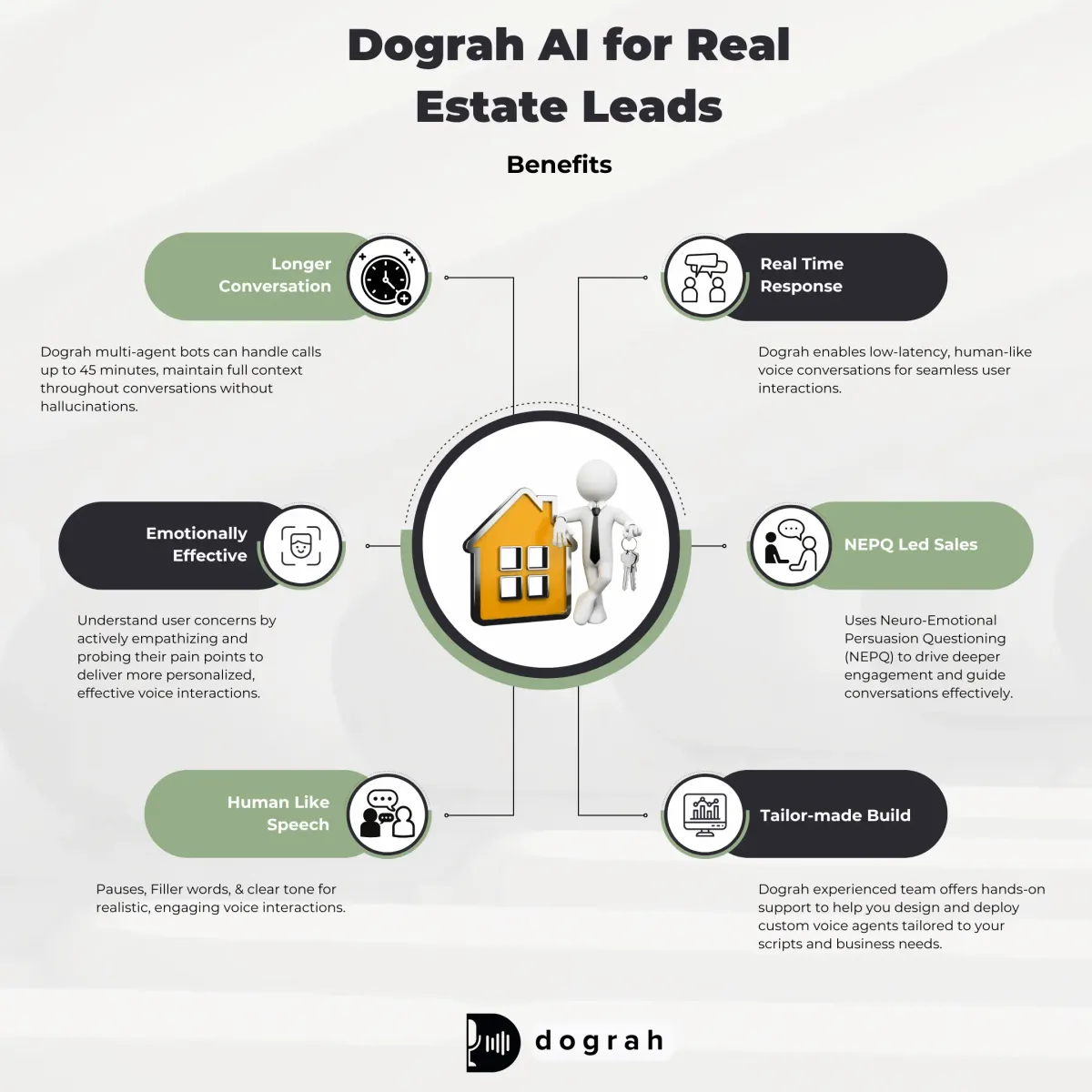
What is Level 1 vs Level 2 sales conversations (for voice agents)?
This distinction prevents most bad deployments. It also sets correct expectations for your team. Level 1 is about execution; Level 2 is about persuasion.
Level 1 conversations are short, repeatable, and outcome-driven. The agent's job is to gather a few key facts and trigger a next action. Examples: inbound qualification, booking, reminders, follow-ups, renewals, and basic upsell prompts.
Level 2 conversations are longer and less predictable. They require deeper product context, empathy, negotiation, and relationship building. Examples: competitive takeouts, security deep-dives, contract negotiation, and closing.
Voice agents can technically attempt Level 2, but most teams should start with Level 1. Then expand carefully with strong handoff rules.
Two detailed example flows (with integrations) you can copy
These are practical, buildable flows. They match real sales workflows and common tools. You can implement them with open-source stacks or Dograh.
Example 1: Inbound lead qualification + demo booking (B2B SaaS)
This flow turns a form fill into a booked meeting quickly. It also stops low-fit calls from reaching AEs (Account Executive). It is the best starter use case for most teams.
Trigger
- Web form fill, inbound chat request, or "Request a demo" click
Step-by-step conversation
- Call lead within ~30 seconds
- Confirm intent: "Are you looking for a demo or pricing info?"
- Ask fit questions:
1. Use case / problem to solve
2. Company size (or team size)
3. Timeline (this month, this quarter, later)
4. Budget band (if appropriate for your motion)
- Answer basic FAQs from your knowledge base
- Qualification decision:
1. If qualified -> book a demo with the correct AE
2. If not ready -> offer resources + schedule a later follow-up
3. If high-value edge case -> transfer to a human now
- Send recap to the lead (and your team)
Integrations
- CRM: HubSpot or Salesforce (create/update lead)
- Calendar: Calendly (book correct AE)
- FAQ/KB: product docs or internal knowledge base
- Slack: alert the assigned AE with summary
- Email/SMS/WhatsApp-style: confirmation + reminders
- Lead source: UTM/form metadata to CRM
What to log in CRM (structured fields)
- Lead source
- Use case category
- Company size band
- Timeline
- Qualification outcome (Qualified / Nurture / Routed)
- Meeting booked (Y/N) + meeting link
- Next-step date
- Transcript link + call summary
This is where buying-signal detection matters. If the lead says "We are evaluating this week and need pricing today," the agent should skip generic steps and escalate.
Example 2: Outbound pipeline reactivation (mid-market sales)
This flow reopens deals without burning rep time. It also creates clean objection data for RevOps. Done well, it is polite and useful, not spammy.
Trigger
- Deals marked stalled, no activity in X days, or closed-lost within a window
Step-by-step conversation
- Call the contact with a friendly check-in
- Confirm context: "Last time we discussed X. Is this still a priority?"
- Detect objection type:
1. Timing
2. Price
3. Competitor
4. Internal approval
- Route based on objection:
1. Timing -> schedule follow-up date and confirm channel
2. Price -> transfer to human rep (negotiation risk)
3. Competitor -> offer short compare call or send material
- Update CRM:
1. Stage changes
2. Objection reason
3. Next-step date
- Trigger personalized follow-up (email/SMS/WhatsApp-style)
Integrations
- CRM: read deal context, write fields
- Slack: notify owner with outcome
- Calendar: book follow-up if needed
- Email/messaging: send recap and resources
- BI dashboard: push events for reporting
- Pricing/config system: if you use one, pull guardrailed ranges (do not improvise)
A useful industry discussion on scalable voice automation emphasizes reliability, clear flows, testing, and observability as the real differentiators.
Dograh-built flow pattern: triggers, routing, and CRM fields (adapt from a real outbound bot)
This pattern comes from a real Dograh outbound bot used for debt collection. Sales teams can adapt the structure without copying the domain. The key is trigger-based calling + escalation + structured logging.
Original pattern (debt collection)
- Trigger: EMI due date
- Agent calls, reminds, asks about situation/support needed
- Transfers to a human if severe distress/high risk
- Captures timeline for payment
- Logs details into CRM
Adapted pattern for sales
- Trigger: lead becomes MQL, demo requested, renewal window, or stalled deal
- Agent calls and confirms intent
- Asks situation questions (fit, urgency, blockers)
- Transfers to human when:
1. Buying signal is strong
2. Negotiation starts
3. User is upset or confused
4. Compliance risk appears
- Captures timelines and next steps
- Logs structured fields
Example CRM fields to log
- Expected next-step date
- Current status (New / Engaged / Nurture / Escalate)
- Risk/priority profile (Low/Med/High)
- Objection reason
- Notes (short, standardized)
- Escalation flag (Y/N)
This structure is simple, but it prevents chaos.
Retell AI vs Open-Source Voice Agent Platforms: Which to choose ?
Compare Retell AI with Open-Source voice platforms like Dograh, Pipecat, LiveKit, and Vocode on cost, control, and scalability.
How to roll out an AI voice sales agent safely (data, guardrails, handoff, logging)
A safe rollout beats a flashy demo. Start narrow, instrument everything, and iterate fast. This is how you avoid brand damage.
Start small: pick one Level 1 use case and one KPI
Pick one use case that is high volume and easy to measure. Do not start with closing calls. Start with speed-to-lead or scheduling.
A practical rollout path:
- Inbound speed-to-lead + qualification
- Booking + reminders
- Post-demo follow-ups + CRM updates
- Reactivation and LTV workflows
Choose one primary KPI at first:
- Meetings booked
- Qualification rate
- Speed-to-lead SLA adherence
- Rep hours saved
Then add secondary quality metrics later.
Guardrails that prevent bad calls (handoff + buying-signal detection)
Guardrails are not optional. They are the difference between "assistant" and "liability." You need strict rules around escalation and allowed claims.
Must-have guardrails:
- Human handoff when the user asks for a person
- Transfer when pricing negotiation begins
- Transfer on strong buying signals (hot lead)
- Transfer when confusion or frustration rises
- Refuse disallowed topics (legal, unsupported claims)
- Safe fallbacks when integrations fail (calendar/CRM down)
Intelligent call transfer is a core requirement for sales voice agents. The agent should pass context:
- What the user asked
- Qualification answers
- Urgency/timeline
- Next recommended step
CRM logging and data quality (RevOps-ready from day one)
Logging cannot be an afterthought. If you do not measure, you cannot improve. And RevOps cannot trust your pipeline.
Log both:
- Structured fields (for reporting)
- Unstructured artifacts (transcript + summary for context)
What to log (practical list):
- Lead source (UTM/form)
- Qualification answers (use case, size, timeline, budget band)
- Intent level (low/medium/high)
- Objections and category
- Meeting outcome (booked/rescheduled/no meeting)
- Next-step date
- Call summary
- Transcript link
- Tags (SQL, nurture, escalate)
Build it from real calls, not just scripts (sales realism)
Scripts are useful, but they are not how people talk. The fastest way to a natural agent is to learn from top reps. This is the approach we push at Dograh.
What to capture from real calls:
- Filler words and pauses (used carefully)
- Backchanneling ("I see", "okay")
- How reps repeat and reframe
- How they handle emotion or confusion
- How they regain control after interruptions
This makes the bot feel grounded and less robotic, while still staying on workflow.
Synthflow vs Open Source Voice Agents: Which to Choose ?
Explore Synthflow vs Open-Source voice agents like Dograh, Pipecat, LiveKit, and Vocode to find the best option for cost, control, and scalability.
What is structured CRM logging (fields vs summaries) for conversational AI ?
Structured logging makes conversational AI measurable. It also makes RevOps reporting reliable.Summaries alone are not enough.
Structured fields are predefined values in your CRM, like:
- timeline = "0-30 days"
- segment = "SMB"
- objection_reason = "price"
- next_step_date = "2026-02-15"
They power dashboards, routing, SLAs, and forecasts.
Summaries and transcripts are still useful, but they are unstructured. They help humans understand context, but they do not reliably answer questions like:
- "What % of inbound leads were qualified last week?"
- "What are the top objections by segment?"
- "How many escalations happened after buying signals?"
A good conversational AI deployment does both: structured fields for measurement, summaries for humans.
Open source vs platform choices (Dograh vs LiveKit / Pipecat / Vocode and others): what to pick and why
Open source is not automatically better. But it changes control, cost, and iteration speed. Pick based on who needs to iterate and how often.
Open source AI voice agent basics: what open source changes
Open source matters when you care about:
- Self-hosting for privacy, security, or control
- Lower lock-in and the ability to swap providers
- BYOK (choose your STT/LLM/TTS vendors)
- Custom workflows that match internal rules and compliance
- Extending the platform for your unique sales motion
Dograh's stance is opinionated: core voice-agent infrastructure should not be locked up by a few vendors. If you have the team to run it, self-hosting is a real advantage.
Comparison by use case and integration needs (not a full tools roundup)
You do not need a giant list of tools. You need a clear fit model. Here is a practical comparison style.
Code-heavy open-source stacks (common approach)
- Best when: you have strong engineering capacity and want deep customization
- Strengths:
1. Flexible pipelines
2. Infrastructure-level control
3. Custom integration code
- Trade-offs:
1. Iteration depends on developers
2. Changes require redeploys
3. Higher risk of breaking production
This is where LiveKit/Pipecat/Vocode are commonly used.
Workflow-first platform approach (Dograh style)
- Best when: you need fast iteration and clear workflows
- Strengths:
1. Visual builder
2. Plain-English edits
3. multi-agent decision-tree workflows (reduce hallucinations)
4. BYOK and self-host options
- Trade-offs:
1. If you need very exotic infrastructure changes, you may still write code via webhooks/APIs
The practical question is: who owns the voice agent day to day - engineering or RevOps?
Top failure mode in open-source stacks: slow, code-heavy iteration (and how to mitigate)
The most common failure mode is not model quality. It is iteration speed. Sales teams need weekly improvements, sometimes daily.
From our experience, code-heavy stacks like (Pipecat) often create this loop:
- Small change requested by sales
- Engineering edits code
- Redeploy
- Integration errors or regressions
- Sales waits, momentum slows
Mitigations that work:
- Use a visual builder for workflow edits where possible
- Add versioned workflows
- Maintain a staging environment for safe testing
- Build reusable components (qualification block, booking block)
- Define clear ownership:
1. RevOps owns copy, routing rules, fields
2. Engineering owns infrastructure and secure integrations
Where Dograh fits: open source, fast edits, and multi-agent workflows
Dograh is built for teams who want open source without slow iteration. It is designed for developers, startups, and indie hackers. It also respects that sales workflows change fast.
What Dograh focuses on today:
- Drag-and-drop workflow builder for voice agents
- Plain-English creation and edits
- Multi-agent workflows (decision-tree control to reduce hallucinations)
- BYOK: plug in your telephony, STT, LLM, and TTS
- Cloud-hosted or self-hosted deployment
- Variable extraction from calls + follow-up actions
- Early AI-to-AI testing suite (Looptalk), still rough but useful for stress tests
- Inbuilt Dictionary to add business specific keywords in STT to understand business's nuanced terminology like (“kay why see” → KYC , HbA1c , “BP high” retained as BP high not “beepy high” OPD etc)
- support for over 30 languages (including language switching mid call )
- The Bot Call to any Tool or API (e.g. send SMS, email, crm update, schedule zoom/calendar invite , call an n8n automation etc)
If you want to contribute or pilot it, Dograh is actively looking for beta users, contributors, and feedback.
What is workflow versioning and safe staging for voice-agent iteration ?
Fast iteration is only safe with control. Workflow versioning prevents live edits from breaking production. Staging makes testing real before customers hear it.
Workflow versioning means every workflow change creates a new version (v1, v2, v3). You can:
- Roll back instantly if something goes wrong
- Compare performance across versions
- Keep an audit trail of what changed and why
Safe staging means you have a test environment that mirrors production:
- Same integrations (or realistic mocks)
- Same prompts and rules
- Test phone numbers and sandboxes
- Structured test scripts and edge cases
This is especially important in voice because failures are public. A broken call feels worse than a broken web page.
Vapi vs Open Source Voice Agents: Which to Choose?
Discover Vapi vs Open-Source voice agents like Dograh, Pipecat, LiveKit, and Vocode to decide the best option for cost, control, and scale.
KPI and ROI framework for conversational AI in sales (measure what matters)
Without measurement, voice agents become opinions. With measurement, they become a repeatable growth lever. Start with a small KPI set and expand.
Core KPIs: speed-to-lead, meeting rate, qualification rate, cost per meeting
These are the baseline metrics most teams should track. They map to revenue outcomes and operating cost. They also work for inbound and outbound.
Speed-to-lead (STL)
- What it is: time from lead creation to first contact attempt
- How to calculate: median time from form submit -> first call/SMS/chat response
- What "good" looks like: relative to your current baseline and your SLA
Meeting rate
- What it is: % of engaged leads that book a meeting
- How to calculate: meetings booked / leads contacted
Qualification rate
- What it is: % of leads that match your ICP thresholds
- How to calculate: qualified leads / leads contacted
- Important note: do not inflate this. It must match downstream win rates.
Cost per meeting
- What it is: cost to generate a booked meeting
- How to calculate: (tooling + infra + ops time) / meetings booked
Suggested baselines: use your existing CRM and calendar data. Do not guess.
For macro context, research indicates sales technology investment has grown significantly. One review notes investment in sales technology increased 53% since 2016 and reports that more than 70% of sales leaders prioritize investment in GenAI, with around 70% of tech leaders planning to introduce GenAI over the next 18 months as referenced in Artificial intelligence in sales research: Identifying emergent themes and looking forward.
Quality KPIs: no-shows, handoff success, and call resolution
Quality metrics protect your brand. They also tell you where workflows need tightening. Track these from day one.
Key quality KPIs:
- No-show rate after reminders.Compare no-shows before vs after automated reminders.
- Handoff rate (% calls transferred to humans) Too high means the agent is not handling Level 1 well. Too low can mean it is not escalating enough.
- Handoff success
1. Transfer accepted (Y/N)
2. Time to accept transfer
3. Did the human have enough context?
- First-call resolution (Level 1) % of calls where the agent completes the Level 1 task without human help.
Reporting setup: dashboards from CRM + call logs
Dashboards keep adoption real. If managers cannot see outcomes, they will not trust it. Wire reporting directly from CRM fields and call artifacts.
A practical reporting setup:
CRM fields (structured):
- Qualification outcome
- Meeting booked
- Next step date
- Objection category
- Escalation flag
Call logs:
- Call duration
- Connect rate
- Transcript links
Delivery channels:
- Slack summaries to owners
- Events pushed to BI tools for trends
If you do this right, you can answer:
- Which lead sources respond fastest?
- Which objections are rising this month?
- Which workflow version is performing better?
Tool selection checklist (quick buyer guide for sales leaders and RevOps)
Tool choice is less about features and more about control. You want safe iteration, reliable integrations, and measurable outcomes. Use this checklist to avoid common traps.
Must-have features for an AI sales call assistant
Non-negotiables:
- Human handoff (intelligent transfer + context)
- Workflow control (not only free-form prompting)
- Structured CRM logging (fields, tags, outcomes)
- Multi-channel follow-ups (email/SMS/WhatsApp-style)
- Multilingual voices and voice choices
- Observability (logs, transcripts, version comparison)
- Permissions and change management (who can edit what)
- Compliance basics (consent prompts, opt-out handling, retention)
- Testing tools (staging, scripted tests, regression checks)
Questions to ask before you build (or buy) an AI voice agent platform
Ask these before you commit:
- Can we self-host if we need to?
- Do we get BYOK for STT/LLM/TTS?
- How fast can RevOps change workflows without engineering?
- What happens when the calendar/CRM integration fails?
- Can it log structured fields, not just summaries?
- How are workflow versions managed?
- How do we test before pushing to production?
- What is the plan for observability and evals?
- What does cost look like at scale (per minute, per call, per booking)?
Why testing matters: simulate calls before production (Dograh Looptalk mention)
Voice agents fail in edge cases, not in demos. Testing needs to include angry callers, interruptions, and unclear answers. Simulation catches issues before customers do.
Dograh includes an inbuilt AI-to-AI testing suite called Looptalk:
- Pre-built or custom personas with traits (accent, intent, objections) for edge-case testing, similar to n8n but voice-specific.
- Those personas talk to your voice agent
- You stress-test edge cases before real customers hear it
Looptalk is still early and work in progress, but the direction is clear: teams need testing plus evals plus observability to ship voice workflows safely.
 Dograh AI
Closing note: conversational AI is a workflow advantage, not a gimmick
Conversational AI is becoming a standard part of sales execution. McClure also warns that the pace of AI requires strategic oversight: "We need a balanced view that recognizes AI's potential to transform sales and the need for strategic oversight to manage its integration effectively."
If there’s one takeaway: start with Level 1, measure outcomes, and iterate fast with guardrails.
If you want an open-source path with fast workflow edits, Dograh is built for that. If you want infrastructure-level customization, code-heavy open-source stacks can work - just plan for iteration ownership and staging.
Related Blog
- Discover the Self-Hosted Voice Agents vs Vapi : Real Cost Analysis
- A Practical Cost Comparison Self-Hosted Voice Agents vs Bland: Real Cost Analysis (100k+ Minute TCO)
- A Practical Cost Comparison Self-Hosted Voice Agents vs Retell: Real Cost Analysis (TCO Tables + $/Min).
- Explore Conversational AI in Insurance: Ultimate Guide (Voice Agents + FNOL)
- See how 24/7 Virtual Receptionist Helps Small Firms Win More Clients by boosting responsiveness and improving customer engagement.
- ExploreContact Center Automation Trends: Ultimate Guide (2026 Roadmap + Open-Source Voice Agents) to build cx service automation voice agent.
- Check out AI Voice Agent for Healthcare: Guide to Build a HIPAA Ready Voice Agent with Dograh step-by-step process with strict guardnails
FAQ's
1. Which AI tool is best for sales?
The best AI tool for sales is the one that improves speed-to-lead, qualification, and booking without creating extra ops work. Dograh AI is a strong choice because it’s built specifically for conversational AI for sales with an open-source, self-hostable option and a drag-and-drop builder.
2. How much do AI voice agents cost?
AI voice agent costs usually depend on minutes, the voice stack (STT/TTS), and how you deploy. With a platform like Dograh AI, typical usage-based pricing can land around $0.05 to $0.11 per minute for an ai voice agent for sales, depending on your telephony and model choices (bring-your-own keys can also change the economics).
3. How to use AI to make sales calls?
To use AI to make sales calls effectively, start with one narrow workflow (lead qualification or booking) and design it as a decision tree with clear handoff rules. With Dograh AI, you can launch an AI voice agent for sales in minutes using an intuitive visual builder and plain-English prompts—either in the cloud or as a self-hosted open-source setup.
4. How does conversational AI for sales work?
Conversational AI for sales works by turning real-time conversations into actions across your sales workflow. A typical stack looks like: audio capture (phone/VoIP) → speech-to-text (STT) → an LLM that follows your workflow rules → tool calls (CRM, calendar, messaging) → text-to-speech (TTS) to respond naturally.
5. Is there an open-source AI voice agent I can self-host?
Yes, if you want control over data, customization, and vendor risk, an ai voice agent open source approach can be a great fit. Dograh is designed as an open-source, self-hostable platform so you can deploy voice agents on your own infrastructure while still getting a fast, no-code/low-code workflow builder.
6. Can an AI voice agent work for real estate sales, or do you still need humans?
An ai voice agent for real estate can work extremely well for Level 1 conversations speed-to-lead, lead screening, appointment booking, reminders, and post-visit feedback. Real estate is a perfect example of why conversational AI for sales is about response time and consistency: the first agent to respond often wins the showing.
Was this article helpful?
