Written By: Stephanie Hiewobea-Nyarko
Voice AI is hot right now. Everyone wants an AI that answers calls, books appointments, and handles after-hours inquiries. And yes - when done right, these bots genuinely work. They recover missed calls, cut wait times, and free up humans for conversations that actually need a human.
But here's what I've learned after building voice agents for nearly a year: The “magic isn't in the AI”. It's in everything around it - tight scope, hard-coded decision trees, and knowing exactly when to hand over (routed) to a person.
This post covers my actual experience: how I scope projects, choose my stack, structure automations, and avoid the traps that make voice bots unreliable. Plus some hard-won lessons on multilingual gaps, why I keep AI on a short leash and why self hosting matters.
My Background and Why I Started Building Voice Agents
Let me take you on a quick journey to share who I am and why I started building voice agents.
Where I work and What I build
I am based in Ottawa, Canada, and my career sits in two worlds that feed each other.
On one side, I work full-time as an AI product manager (Telus AI Factory), so I am constantly thinking about how AI capabilities become real products people can rely on.
On the other side, I run my own AI consultancy, thisaitooldoesthat.com, where I combine:
- Consulting (helping businesses identify high-impact AI opportunities)
- Education (teaching/ training teams how the tooling and thinking works)
- Implementation (actually building the automations and agents)
That balance matters. It shows I’m not just focused on what’s technically possible, but on what remains maintainable, testable, and genuinely valuable for a business six months after launch.
How I moved from automations to voice
I started in AI automation first, building workflows with automation platforms and integrating them with business systems. That foundation shaped how I approach voice today.
Voice agents became the next step because voice is often where businesses feel the pain most:
- Calls go unanswered.
- Front desks get overloaded with calls flow.
- After-hours inquiries turn into lost opportunities.
- Teams spend time gathering the same information repeatedly.
If you already know how to orchestrate systems (CRMs, calendars, ticketing tools, spreadsheets, databases), adding a voice interface becomes a strong front door. Over the last year, that has become a major focus of my work.
What good voice agents do in real life.
When clients ask what a voice agent should do, I explain it clearly from the start. From my experience, good voice agents:
- Solve a clear business problem (missed calls, appointment booking, information capture, inbound/outbound calling, lead qualification).
- Complete a small set of tasks very well (often just one primary job).
- Update systems with records collected from live calls (calendar, CRM, ticketing) clearly and without confusion.
- Stay inside a strict scope boundary (they do not improvise business decisions).
- Hand over/route the call cleanly to a human when the request is complex, sensitive, or out-of-scope.
That is the major difference between a voice demo and a voice deployment.
How I Scope a Voice Agent Project with a Client
From hand on experience. I start by understanding the business, lock the scope early, and then choose tools that fit the client’s existing systems.
Start with an audit, not a tool
My first step is of course not which tool/platform to select.
My first step is an audit, a structured conversation where I am trying to understand:
- What happens today when customers call?
- Where are calls getting dropped or mishandled?
- What is the most common reason people call?
- What does success look like (fewer missed calls, more bookings, shorter call time)?
- Which systems need to be updated (CRM, scheduling, ticketing)?
I treat this like product discovery. If we do not understand the workflow and the pain, we will build something technically impressive but operationally irrelevant.
Lock the scope and requirements early
Once the use case is clear, I move quickly into scope and requirements.
For example, if a business wants after-hours coverage or missed-call capture, I document requirements like:
- User intents: What the caller is trying to do (book, reschedule, ask a question, leave details).
- Required data fields: name, phone number, preferred time, reason for calling, etc.
- System actions: create a calendar event, create a CRM lead, open a support ticket.
- Edge cases: caller is upset, caller refuses to give info, caller asks for something unrelated.
- Escalation rules: when to route to a human, voicemail, or callback queue.
This step stops uncontrolled expansion of scope during conversation. Without it, voice agents are expected to do everything, and that is where reliability dies.
Choose the stack based on the customer's ecosystem
Only after scope is locked do I need to pick the stack ?
My decision criteria usually comes down to:
- What ecosystem are they already in? (Microsoft, Google, custom CRMs, etc.)
- How much flexibility do we need?
- Do we need self-hosting for compliance or cost control?
- How complex is the automation logic?
If the client is not tied to a specific ecosystem, I usually prefer a flexible automation platform because it gives me more control over integrations and logic.
If a client is deeply embedded in a specific enterprise ecosystem (for example, Microsoft-heavy teams), it often makes sense to build in that environment so permissions, governance, and internal adoption are easier.
My guiding principle is simple: The best tool that fulfills the client's requirement and reality, not the one that looks coolest in a demo.
My Build Workflow: from Spec to Production
I am going to share insights how i build workflow from specification to production ready :
Write the spec so the agent has one job
Once requirements are confirmed, I write a build specification that forces clarity.
What is an agent specification (and what does "one job" mean in practice)?
An agent specification is the blueprint for what the voice agent is allowed to do, and most importantly, what it must never do.
When I say "one job," I mean:
- One primary outcome (for example, book an appointment)
- A limited set of supporting steps (confirm availability, collect details, write to calendar/CRM)
- A defined end state (booking confirmed, next steps communicated, call ends)
In practice, "one job" prevents an agent from drifting into risky territory like negotiating pricing, giving legal or medical advice, or making exceptions to company policy.
A solid specification typically includes:
- Primary task and success criteria
- Inputs (what the agent must collect)
- Outputs (what the agent must achieve or update)
- Integrations (calendar, CRM, ticketing)
- Tone and compliance constraints
- Escalation conditions
Build the Voice Layer and the Automation Layer Separately
This is one of the biggest workflow choices I have made, and it is a cornerstone of how I build.
What is a voice/automation layer split (separation of concerns)?
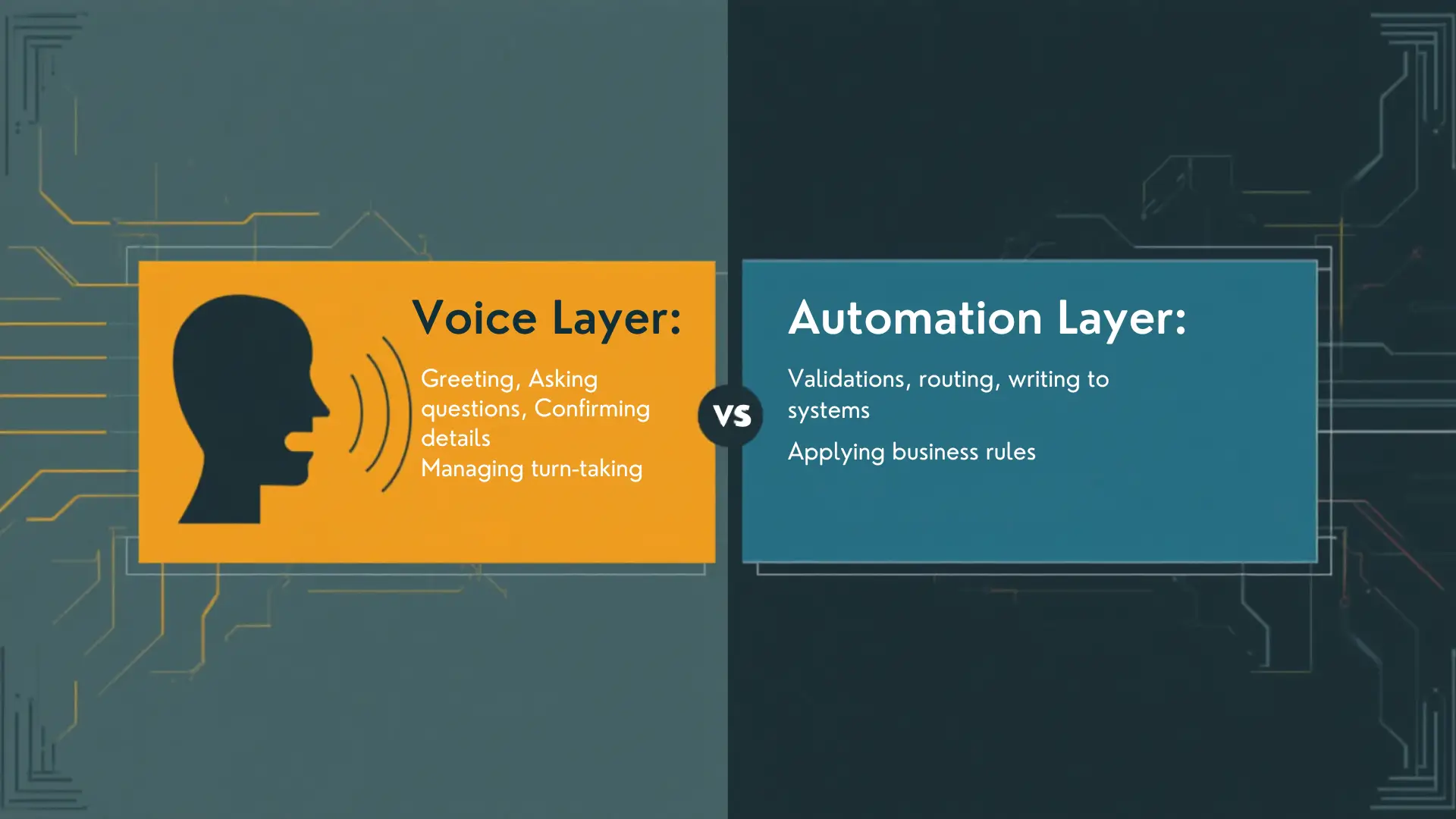
A voice/automation layer split is a separation-of-concerns approach:
- The voice layer focuses on conversation: greeting, asking questions, confirming details, and managing turn-taking.
- The automation layer focuses on deterministic execution: validations, routing, writing to systems, applying business rules.
I do not like burying the entire business process inside the voice tool itself.
When you split the layers:
- You get more control over decision points.
- Testing becomes easier because automation logic is visible and modular.
- You can swap voice providers later without rewriting your whole backend.
- You reduce the chance that the model improvises and causes operational errors.
Test with UAT sessions before launch
I always run User Acceptance Testing (UAT) sessions before anything goes live.
In UAT, I simulate the real world - not just the happy path.
Here is what that looks like for me:
- Realistic call scripts (the top 10 most common call scenarios)
- Failure cases (background noise, unclear answers, interruptions)
- Edge cases (caller asks out-of-scope questions, caller changes their mind)
- System verification (did the booking actually land in the calendar? did the CRM record actually write?)
UAT is not about whether the agent sounds good. It is about whether the business outcome is correct every single time.
Ship to production and plan for maintenance
Once UAT feedback is addressed and the client approves the behavior, I deploy to production.
After launch, we typically discuss maintenance based on the contract:
- Monitoring call outcomes
- Fixing edge cases that appear with real customers
- Updating prompts or rules when business policies change
- Expanding scope carefully (only after reliability is proven)
Voice agents are not set-and-forget. They are living workflows, especially customer behavior, call analytic (feedback) teaches you what you did not predict.
The Biggest Lesson I learned: Do not let the AI run the whole process
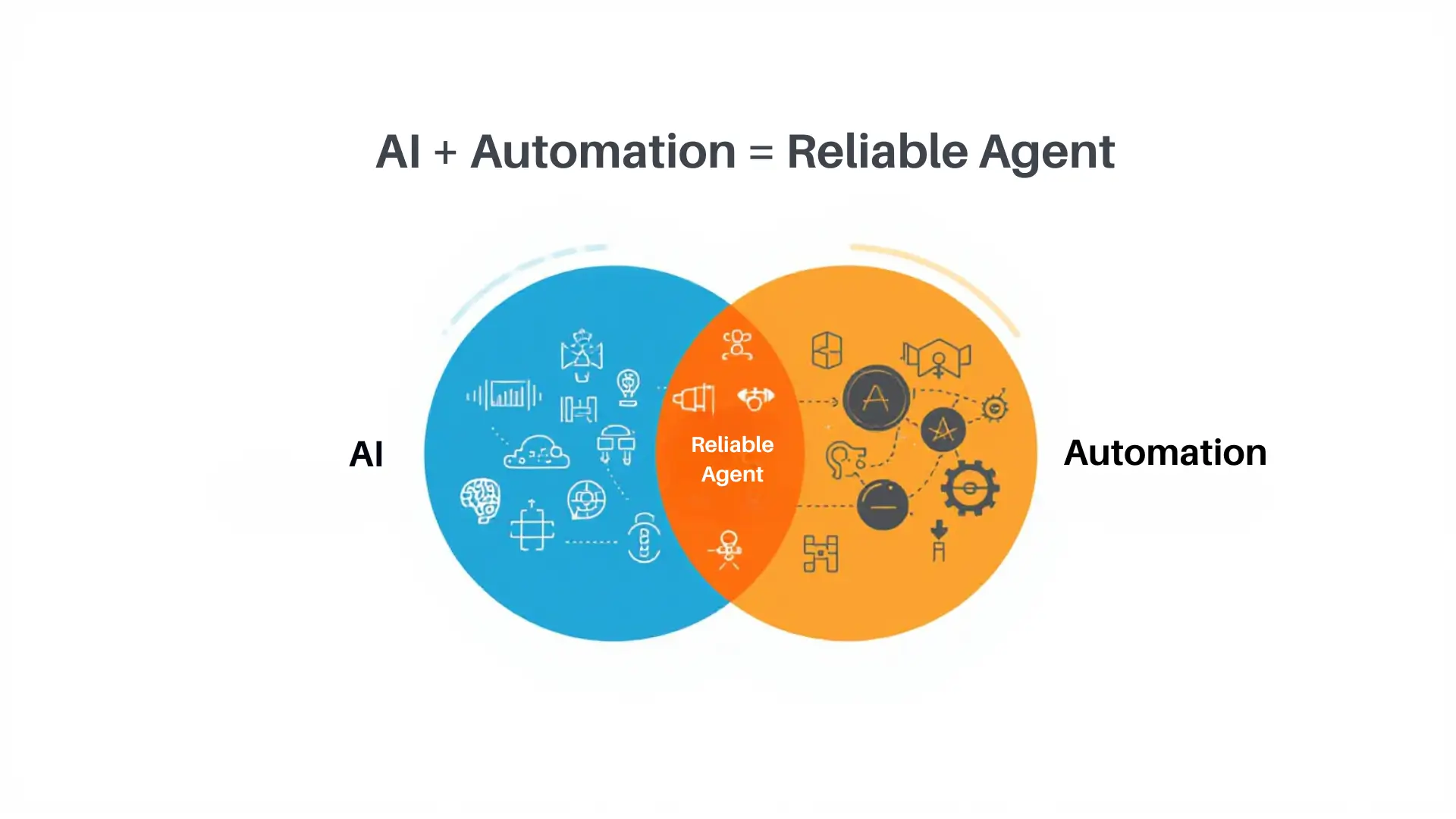
Important decisions to consider carefully before making a voice agent production-ready, ensuring it performs reliably and meets expectations :
Put key decisions into automation rules (data-driven)
The biggest surprise I have encountered building voice agents is, the more I rely on automation rules for key decisions, the more stable the system becomes.
Even with good prompting and guardrails, AI can behave unpredictably in edge cases. So whenever there is a decision that impacts business operations, routing, qualification, logging, and compliance, I prefer deterministic logic.
That means using:
- If/else conditions
- Switch logic
- Validations
- Required-field checks
- Explicit routing rules
Glossary: Automation rules (decision rules / guardrails)
Automation rules are deterministic decision points you define in your workflow (not left to the model's judgment). They act as guardrails, for example:
- If the caller requests rescheduling - go to rescheduling flow
- If caller is angry or requests a manager - escalate
- If phone number is missing - ask again or hand over to human
Use AI where it helps, not where it can break things (comparison)
I treat AI like a powerful collaborator, not an autonomous operator.
AI is great at:
- Natural conversation
- Collecting information conversationally
- Handling varied phrasing
- Confirming details in a friendly way
Automation is great at:
- Reliable routing
- Validation and formatting
- Writing to external systems
- Enforcing business policies consistently
Combined thoughtfully, you get an agent that feels human but behaves like software.
Make system actions explicit (like logging to a CRM)
I avoid the vague assumption that "the AI will take care of it."
If something must happen, like logging a lead in a CRM, I design it as an explicit workflow step:
- Connect directly to the CRM action
- Map/Update the fields clearly
- Confirm the write succeeded
- Handle failure states (retry, fallback, alert)
This is where voice agents become production-grade. The conversation is only half the job. The system updates are what make the agent valuable.
Handling Long Conversations, Context and Handover
This section will help you in understanding workflow design more easily and clearly :
Keep conversations short by design
I usually design voice agents so they don’t get into long, open-ended conversations. This helps them stay focused, respond quickly, and do their main tasks reliably.
The most successful deployments I have built typically do one of the following:
- Book an appointment
- Collect after-hours details (name, reason, urgency, callback number)
- Provide basic information (hours, location, next steps)
Then they end the call or route appropriately.
This is not because long conversations are impossible. Long conversations multiply ambiguity, edge cases, and risk.
Use clear prompts plus a strict out-of-scope rule
I put a lot of effort into clear, constrained instructions.
Glossary: Out-of-scope rule (strict scope boundary)
An out-of-scope rule is a strict boundary that defines what the agent will not handle. When a caller asks outside that boundary, the agent must not improvise.
In practice, I implement it as:
- Clear definitions of in-scope tasks
- A catch-all behavior for anything else
- A default escalation path
Instead of trying to answer everything, the agent should clearly say “it cannot help with that request and move to escalation.”
Hand over to a human when needed
A voice agent earns trust when it knows when to stop.
What is a human handover (escalation) and how should it work end-to-end?
A human handover (or escalation) is the end-to-end process of transferring responsibility from the voice agent to a person without forcing the caller to repeat themselves.
A clean handoff includes:
- Trigger signal: out-of-scope request, high emotion, complex issue, compliance-sensitive request.
- Caller action: "Press 1 to be connected," or "I'll connect you now," depending on flow.
- Context packaging: capture what was already collected (name, number, summary, intent).
- Routing: connect to a live person, create a callback task, or open a ticket.
- Confirmation: caller hears what will happen next and when.
I build handoff flows as first-class features, not as an afterthought.
Where voice AI still struggles: languages, accents, and global coverage
Let’s talk about where voice AI struggles, especially with supporting different languages, accents, and global coverage.
Underserved languages are still hard
One of the biggest gaps I see in voice AI today is language and accent coverage beyond commonly supported languages like English, French or Spanish.
Many tools perform well in widely supported Western languages. But once you move into regions with many dialects, like some parts of Africa and Asia especially, support drops off quickly.
That becomes a blocker when a business needs a voice agent for customers who expect to speak in a local language or a local variation of a language.
Accent mismatch can break user trust
Even when the language is technically supported, accent mismatch can undermine the experience.
If a company serves customers in a market where English is spoken with a strong regional accent, and the agent sounds overly Westernized, it can feel foreign and untrustworthy. Customers may dis-engage quickly, not because the agent is unintelligent, but because it does not sound natural to them.
Voice is identity, and identity impacts adoption.
Why this is happening: not enough high-quality labeled voice data
From what I have seen, this is not mainly about lack of demand. There is a large economy outside the West, and the need for voice automation is there.
Glossary: High-quality labeled voice data
High-quality labeled voice data is audio that has been accurately transcribed and tagged (language, dialect, accent, speaker characteristics, background noise conditions, etc.) so models can learn reliably.
If models are not trained on enough examples of a dialect, or the labeling is weak - speech-to-text and text-to-speech quality suffers. That shows up as:
- Mis-transcriptions
- Incorrect pronunciations
- Unnatural and Awkward speech pattern
- Poor performance in noisy environments
Voice AI will continue to be uneven worldwide until more data is available for underserved languages and dialects.
Open-Source Voice Platforms like Dograh AI: Advantages and Trade-offs
Let’s take a closer look at why open-source has an edge over proprietary platforms.
Why self hostable platforms win: community and shared building
I have seen n8n succeed in automation tooling, and I think the same dynamic can apply to voice.
When a platform is self hostable and open-source, you are not building alone. Contributors can:
- Improve integrations
- Add features
- Fix bugs faster
- Write documentation
- Share templates and best practices
That community effect improves the product and helps adoption because users become advocates.
Self-hosting is the game changer
From a builder perspective, the biggest open-source advantage is self-hosting.
Self-hosting can unlock:
- More control over uptime, upgrades, and customization
- Better privacy and compliance for sensitive industries
- Cost management at scale
- Flexibility to integrate with internal systems without heavy constraints
Hosted closed platforms are convenient, but you operate within their limits, pricing, data handling, feature availability, and roadmap.
“When you self-host, you get leverage.”
Conclusion
Voice agents succeed in production when they reliably produce the business outcome they were designed for. I do not care how human the conversation feels if it cannot log the lead correctly, book the right slot, or route the call consistently.
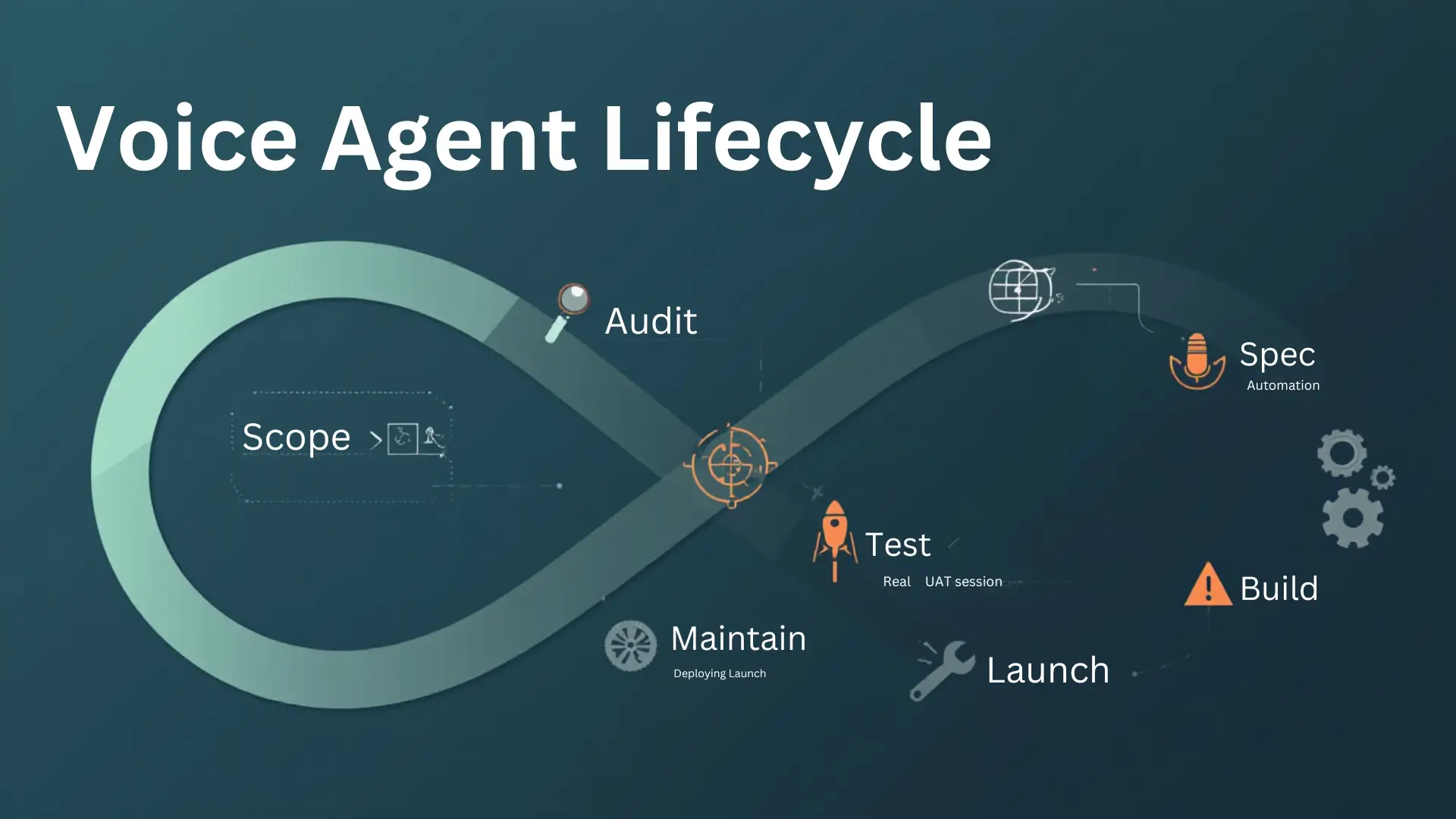
My workflow stays consistent across projects:
- Start with an audit
- Lock scope early
- Write a spec that forces the agent to have one job
- Split voice from automation for control and reliability
- Put key decisions into deterministic automation rules
- Keep conversations short by design
- Use strict out-of-scope rules and clean human handoffs
- Test with real UAT sessions before launch
As voice AI grows, two areas deserve more attention than they get: global language coverage (especially accents and dialects) and open-source voice ecosystems that give builders real control.
If you are building a voice agent right now, my advice is simple: make it boring on the backend and delightful on the front end. That is how you ship something that lasts.

FAQ's
1. What actually makes a voice agent work in production ?
Tight scope, deterministic automation, and knowing exactly when to hand off to a human.
2. Why so many voice agents fail after the demo stage?
They rely too much on AI judgment instead of hard rules and clear workflows.
3. Why do you separate conversation from control logic ?
Voice handles dialogue, automation enforces decisions, routing, and system updates reliably.
4. Why design voice agents for short conversations ?
Long calls multiply ambiguity, edge cases, and operational risk without adding value.
5. When should a voice agent escalate to a human ?
Anytime a request is emotional, complex, sensitive, or outside the defined scope.
6. What makes a voice agent “production-grade” ?
Explicit system actions, UAT testing, deterministic rules, and monitored outcomes.
7. Why does self-hosting matter for voice agents ?
It gives control over cost, privacy, uptime, and long-term maintainability.
Was this article helpful?